
In our previous [article](https://epsilla.com/blogs/how-do-ai-agents-actually-understand-discover-embeddings-and-vector-search), we discussed the foundational concepts of embeddings and vector search, highlighting how they enable AI systems to understand and retrieve semantically similar information. These technologies are essential for advanced AI applications but have limitations when used alone. Now, we bring everything together by introducing Retrieval Augmented Generation (RAG), a powerful approach that addresses the inherent limitations of Large Language Models (LLMs) by integrating external knowledge into AI responses.
Understanding the Limitations of LLMs
LLMs like GPT-4 have revolutionized natural language processing by generating human-like text. However, they face significant limitations:
- Static Knowledge Base: LLMs rely on data available up to their latest training cut-off and cannot access new information that emerges afterward.
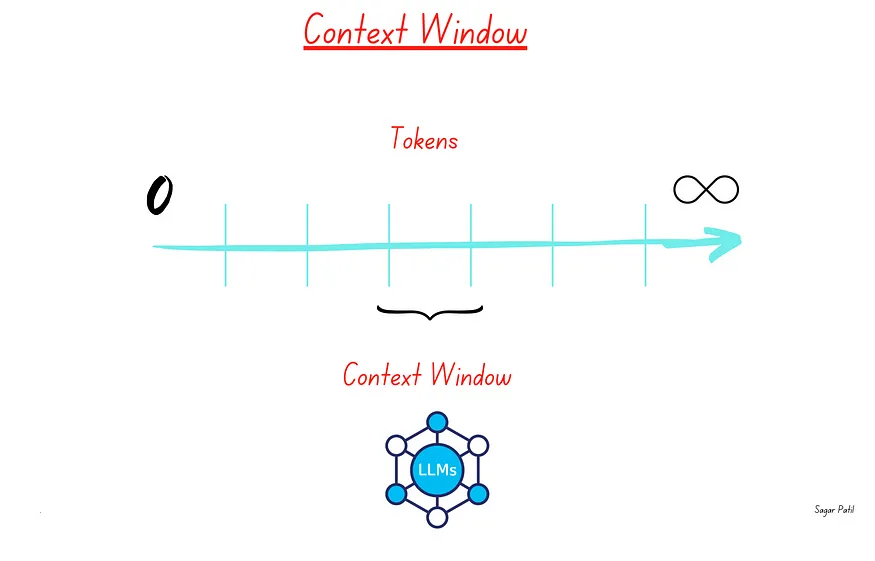
- Context Window Constraints: They have a fixed context window size (e.g., up to 128,000 tokens for GPT-4, 2M tokens for Gemini-1.5 Pro). This limits the amount of information they can process at once.
- Inability to Access Private Data: LLMs cannot utilize proprietary or sensitive information not included in their training data.
Example: A financial advice AI agent using only an LLM might provide outdated investment recommendations because it cannot access the latest market data or proprietary financial reports.
Introducing Retrieval Augmented Generation (RAG)
Retrieval Augmented Generation (RAG) combines the generative capabilities of LLMs with the retrieval power of vector search. This approach enables AI systems to provide more accurate, up-to-date, and contextually relevant responses by leveraging information from a structured knowledge base.
How RAG Addresses LLM Limitations
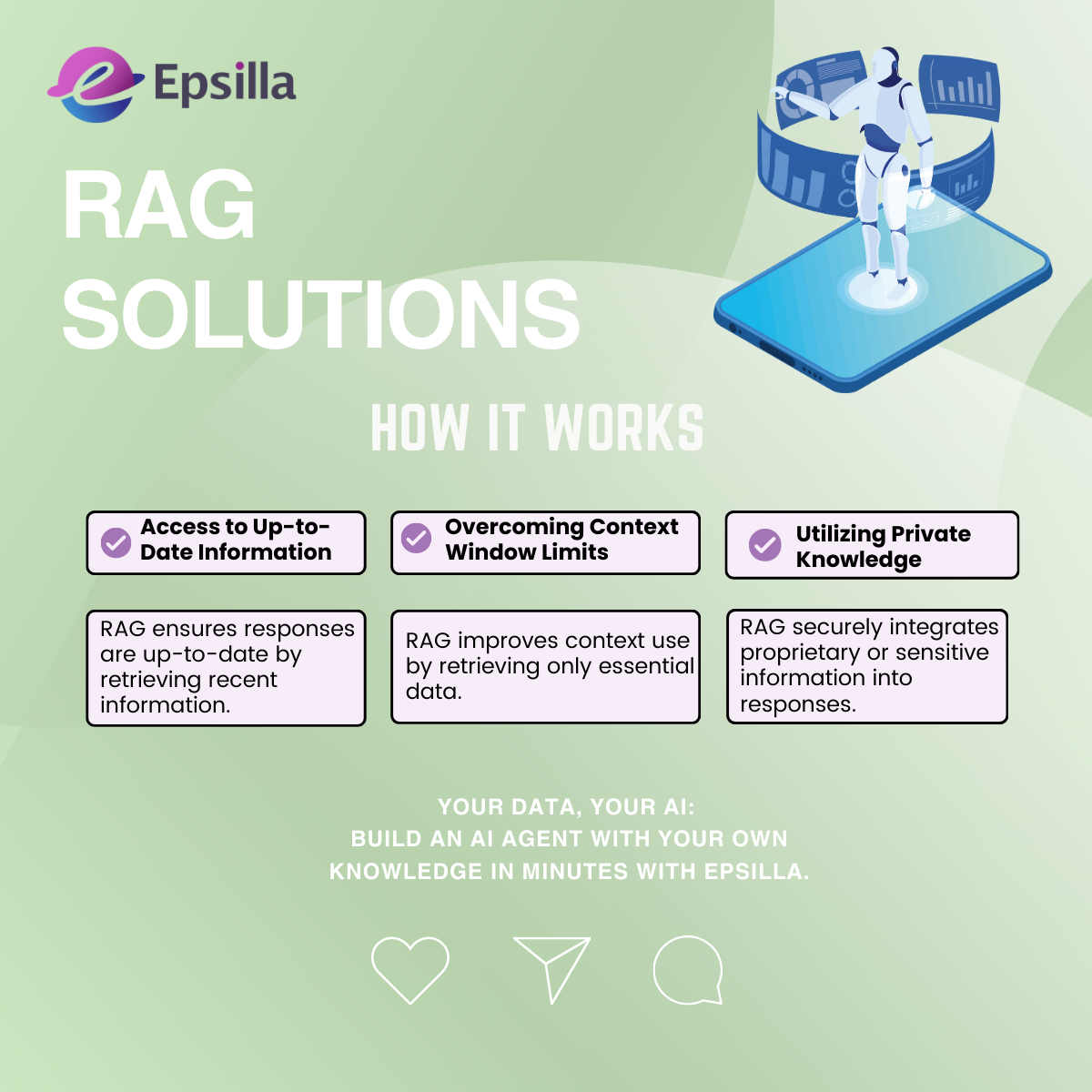
Access to Up-to-Date Information: By retrieving the latest data from external sources, RAG ensures responses are current.
Overcoming Context Window Limits: RAG fetches only the most relevant information, reducing the need to fit all data into the LLM’s context window.
Utilizing Private Knowledge: It allows the integration of proprietary or sensitive information securely, enhancing the AI’s utility in specialized domains.
Example: A customer service AI agent powered by RAG can access the latest product manuals and internal documents to provide accurate troubleshooting steps.
Step 1: Building the Knowledge Base
Creating a robust knowledge base is the foundation of an effective Retrieval Augmented Generation (RAG) system. This process involves several key steps that transform raw data into a structured format that the AI agent can efficiently utilize.
💻Data Collection and Preprocessing
The first step involves gathering all relevant data sources, such as documents, web pages, PDFs, and other materials pertinent to your domain. Once collected, it’s essential to clean the data by removing irrelevant information and standardizing formats to ensure consistency. Large documents are then split into smaller, coherent chunks with meaningful semantic content — a process known as data chunking. This facilitates better semantic understanding and retrieval. For detailed techniques on data chunking, refer to our previous article.
🧑🧑🧒Embedding Generation
After preprocessing, each text chunk is converted into a high-dimensional vector that captures its semantic meaning. This is achieved by selecting an appropriate embedding model suitable for your domain, such as OpenAI’s embeddings or Sentence Transformers. The chosen model transforms the text into numerical representations called embeddings. For more insights on embeddings, see our earlier discussion.
📊Indexing with a Vector Database
The generated embeddings are then stored in a vector database for efficient retrieval. Databases like Pinecone, Weaviate, or Epsilla’s built-in vector store are commonly used for this purpose. Indexing the embeddings allows the system to perform rapid similarity searches when processing user queries.
📱Regular Updates
Maintaining the relevance of the knowledge base is crucial. Implementing automated processes to add new data and update embeddings ensures that the knowledge base reflects the most current information. This continuous updating is essential for applications where data frequently changes.
Step 2: Implementing Retrieval Augmented Generation (RAG)
With the knowledge base in place, the RAG process enhances the AI agent’s responses through several steps that integrate user queries with the stored information.
✨User Query Embedding
When a user inputs a question or command, the system receives this query and converts it into an embedding vector using the same model employed for the knowledge base. This embedding effectively captures the semantic essence of the user’s query.
🪐Semantic Vector Search
The query embedding is used to search the knowledge base for semantically similar documents. By calculating similarity scores, the system retrieves the most relevant chunks of information related to the query. For a deeper understanding of vector search, refer to our previous article.
🌍Context Augmentation
The retrieved documents are then combined to form a context that the Large Language Model (LLM) can process. It’s important to ensure that this combined context fits within the LLM’s token limit to adhere to context window constraints.
💬Response Generation
Finally, the LLM generates a response using the augmented context. The inclusion of relevant documents helps the LLM provide accurate and context-specific answers. This process ensures that the AI agent’s response is both informed and up-to-date.
Example
For instance, if a user asks about the side effects of a specific medication, the system retrieves the latest medical guidelines and reports concerning that medication. The LLM then generates a comprehensive and current response, offering the user accurate information.
End-to-End Workflow Visualization
Understanding how these components interact is crucial. Below is a visual representation of the RAG workflow:
User Query The user submits a question or command.
Query Embedding Generation The system converts the user’s query into an embedding vector.
Vector Search in Knowledge Base Using the query embedding, the system searches for semantically similar documents in the knowledge base.
Retrieve Relevant Documents The most relevant chunks of information are retrieved based on similarity scores.
Context Augmentation The retrieved documents are compiled to form a context for the LLM, ensuring it fits within the token limit.
LLM Response Generation The LLM generates a response using the augmented context.
Provide Answer to User The system delivers the accurate and context-specific response to the user.
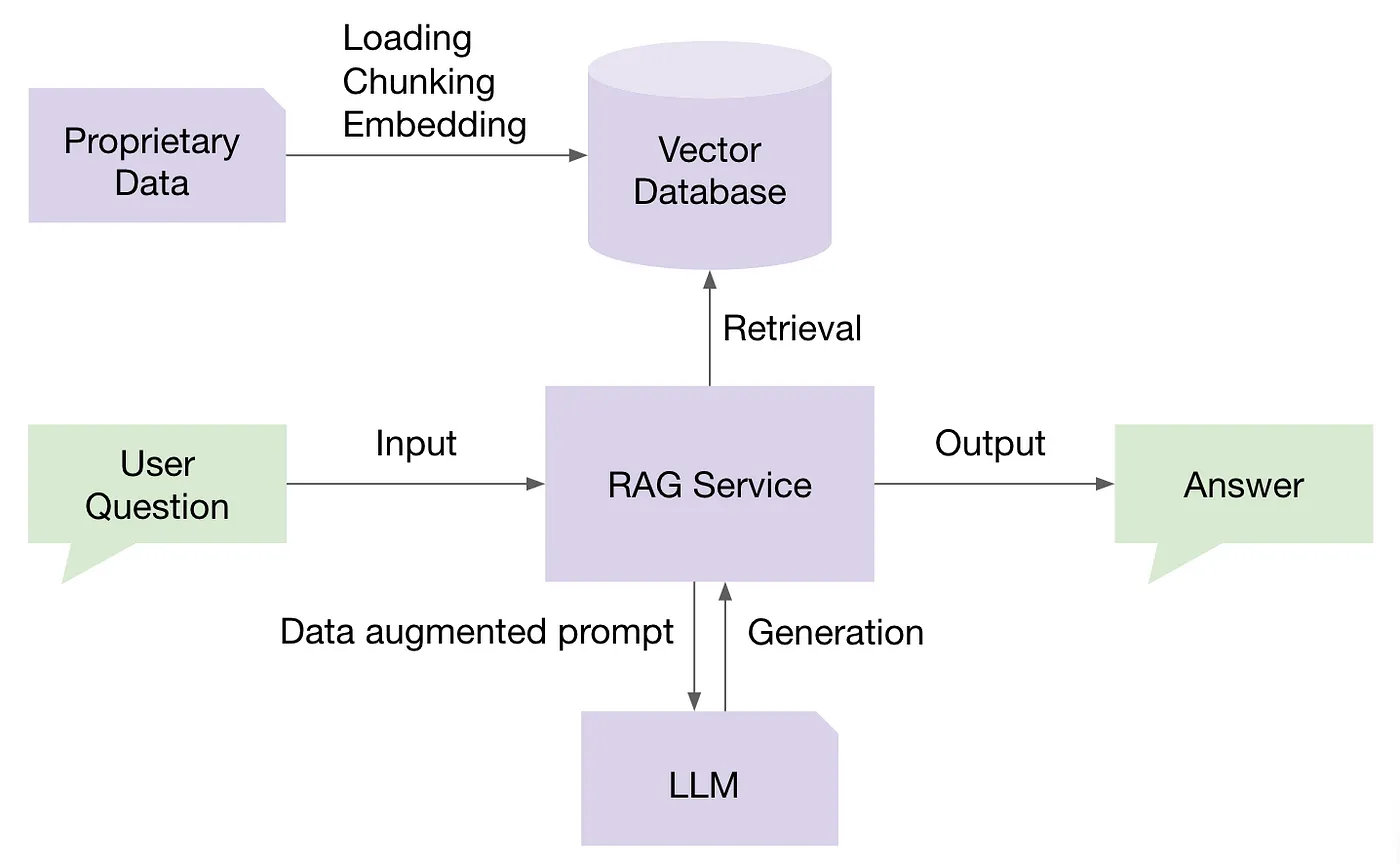
This workflow ensures that the AI agent provides responses that are not only contextually relevant but also enriched with the most recent and specific information from the knowledge base.
Building a RAG-Empowered AI Agent with Epsilla
In a crowded market where vendors typically specialize in individual components of building a RAG-empowered AI agent — such as vector database vendors, embedding service providers, LLM orchestration tools, evaluation and observability platforms, and AI agent memory management solutions — Epsilla stands out as a unique all-in-one solution. We provide an integrated platform that covers the entire end-to-end workflow for building RAG-empowered AI agents. This comprehensive approach simplifies the process and ensures seamless interaction between all components.
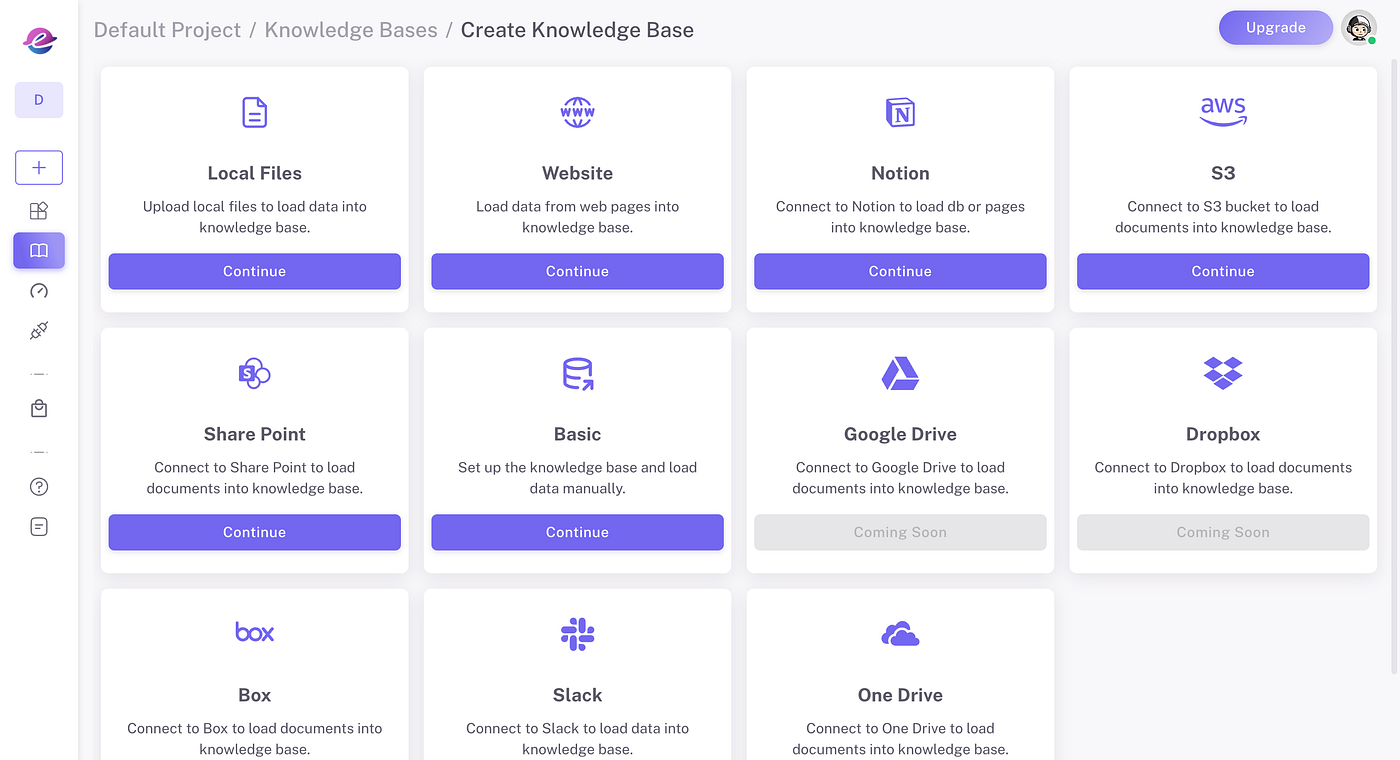
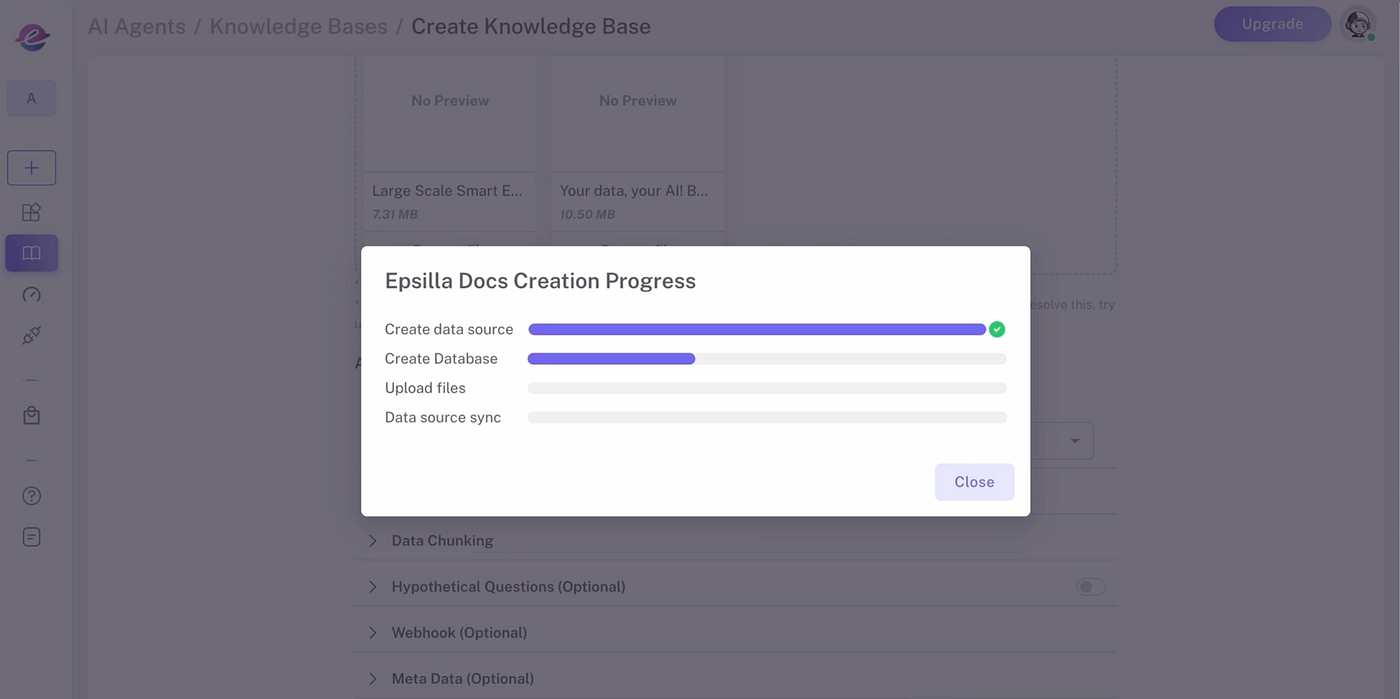
1️⃣ Create Knowledge Sources
Upload documents in a variety of formats — such as PDF, DOCX, CSV, HTML, and JSON — from your local drive, cloud storage, or even directly from web pages. Epsilla’s ETL infrastructure processes data at scale, chunking, embedding, and storing it in Epsilla’s vector database to make your data quickly accessible for retrieval.
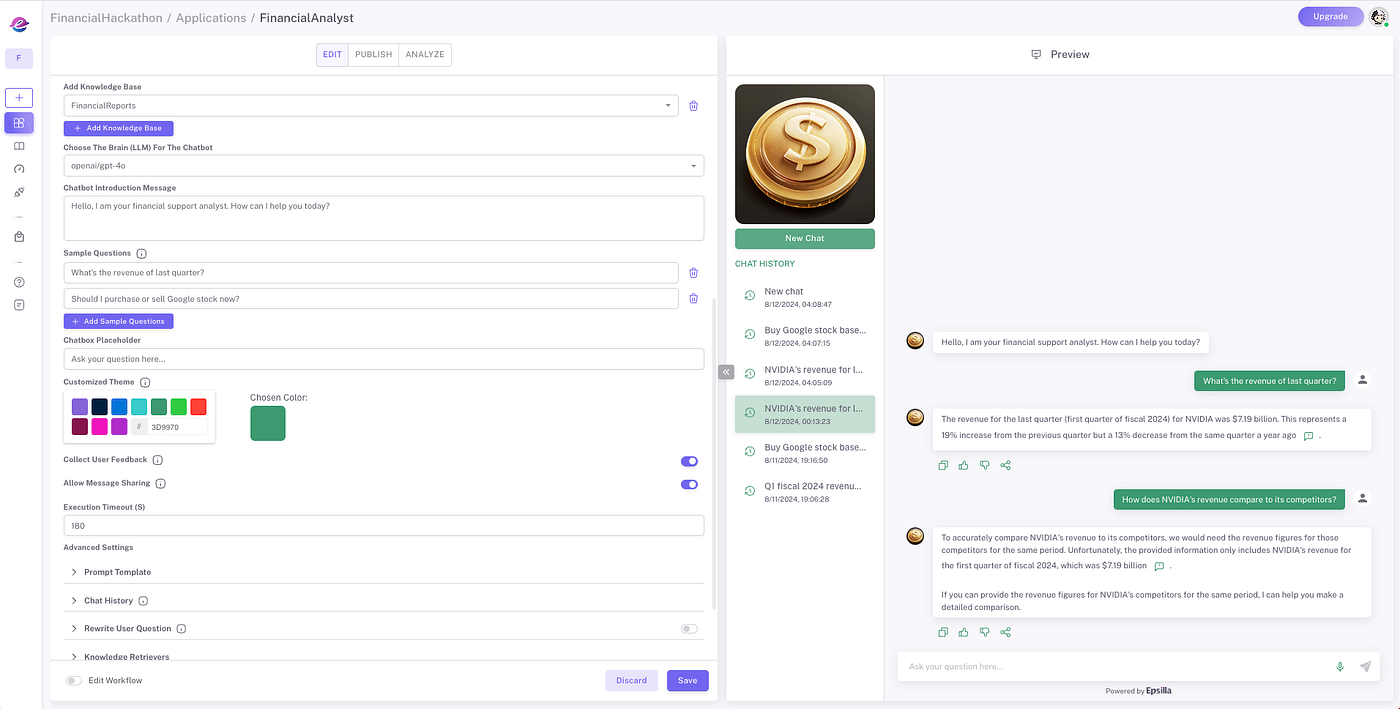
2️⃣Create and Configure Your Chat Agent
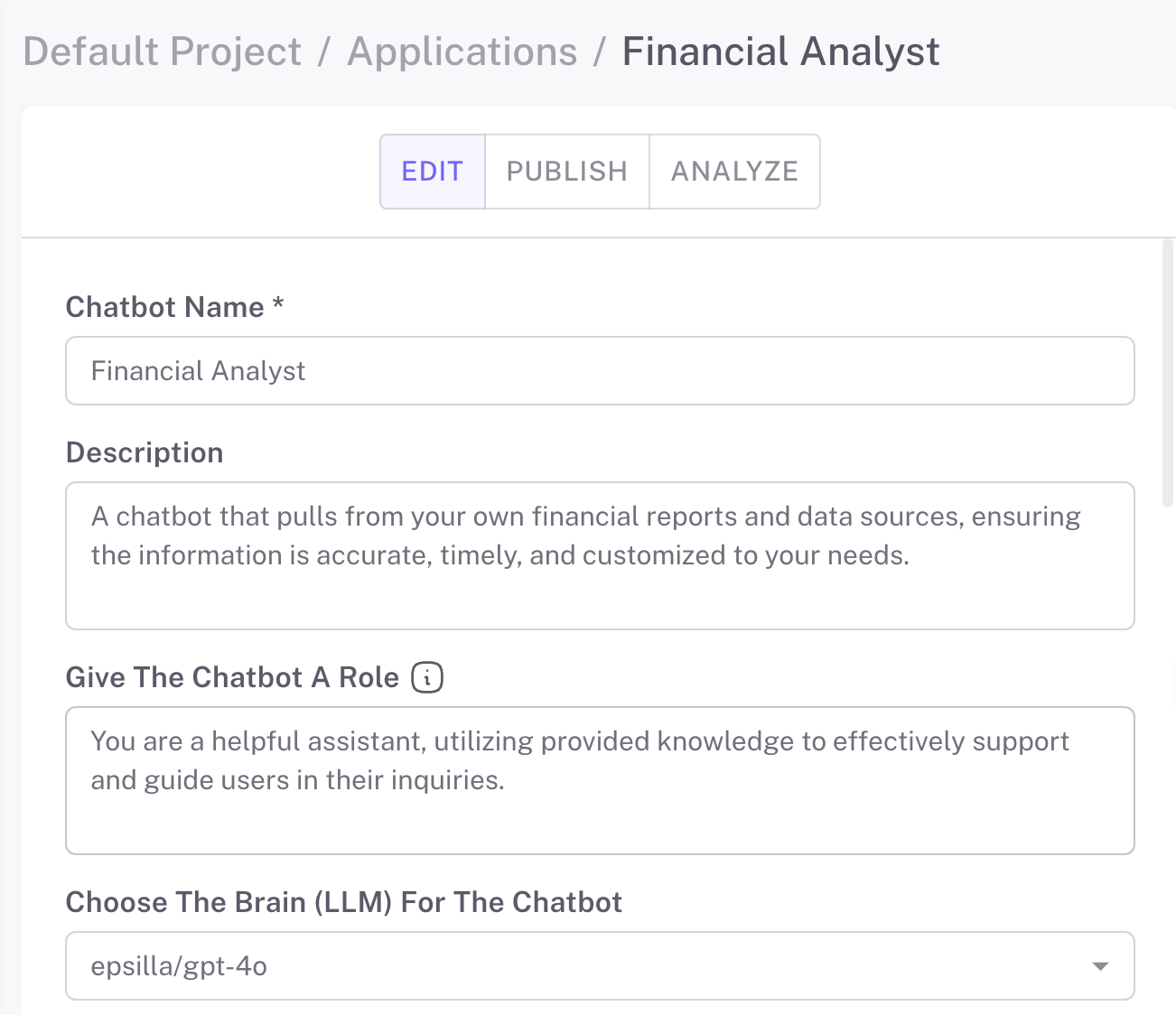
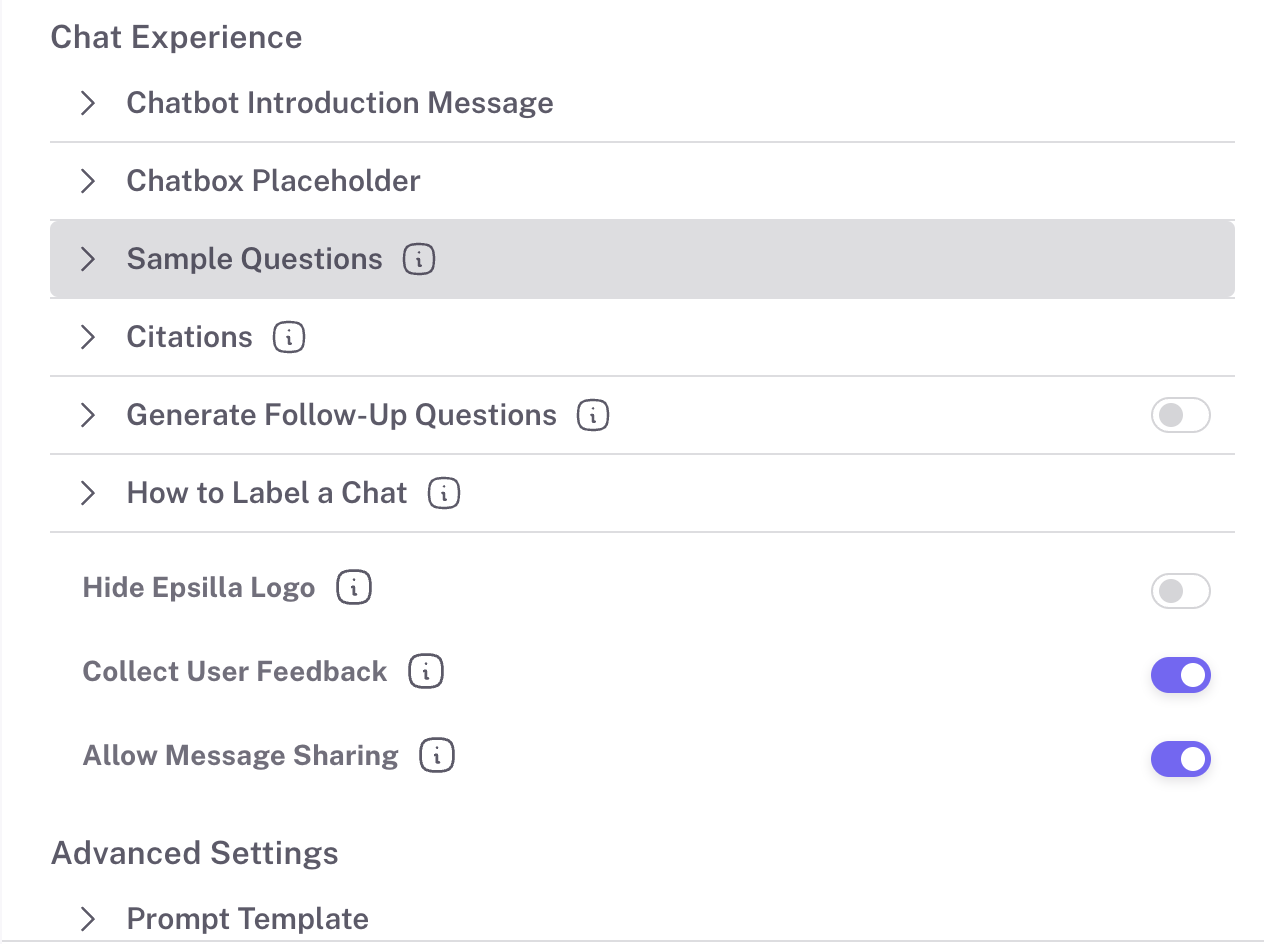
Epsilla’s intuitive interface allows you to customize your chat/search agent’s look and feel, adjust its level of sophistication, and enable optional features like auto-generated suggested questions. You can further configure settings such as prompt engineering, retriever customization, and hybrid search to precisely match your chat agent to your needs.
3️⃣Advanced Configurations
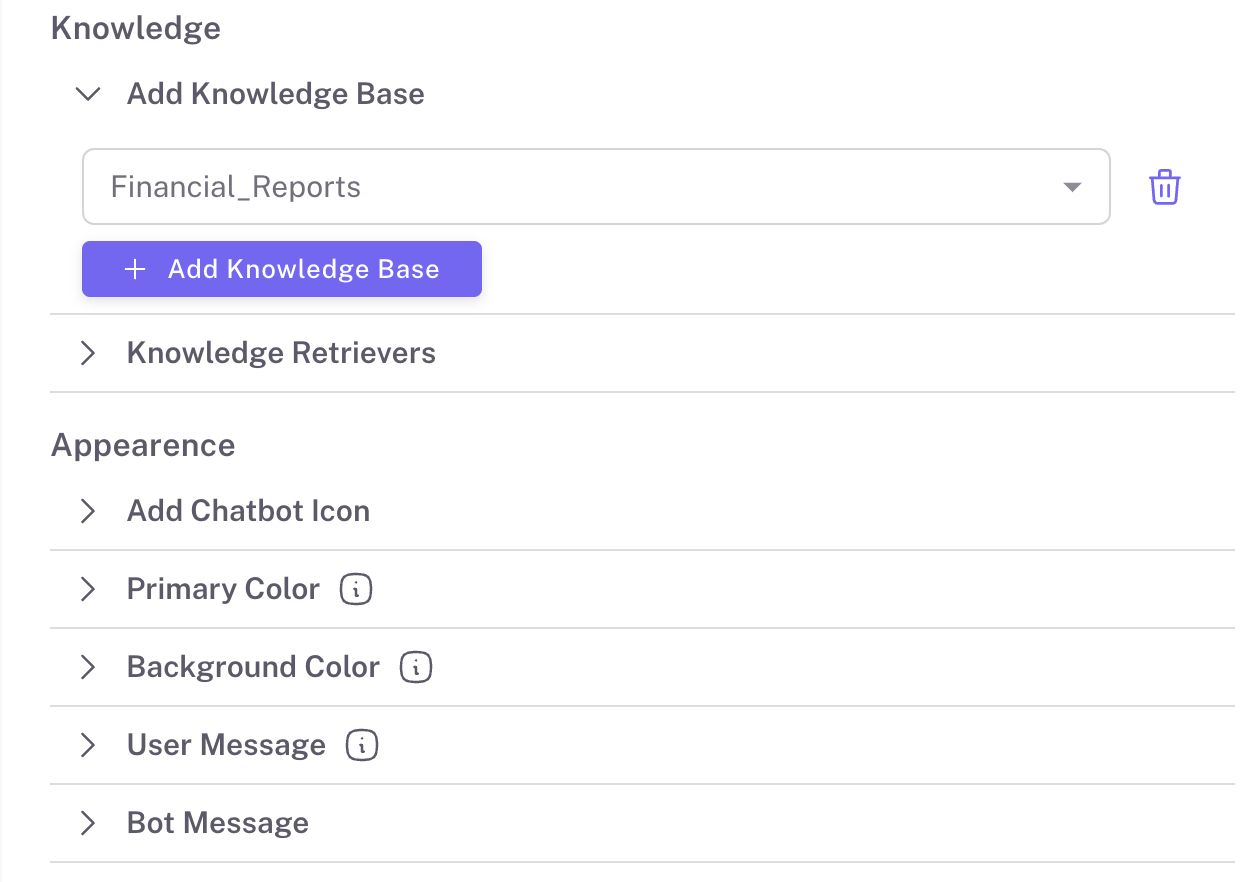
Define the persona of your chat/search agent with LLM roleplay settings. Connect one or more knowledge bases, control how many conversation rounds to retain, and refine your retrieval settings with options like search top K and metadata filtering. Advanced RAG techniques like query rewriting, hybrid search, and reranking provide even more control.
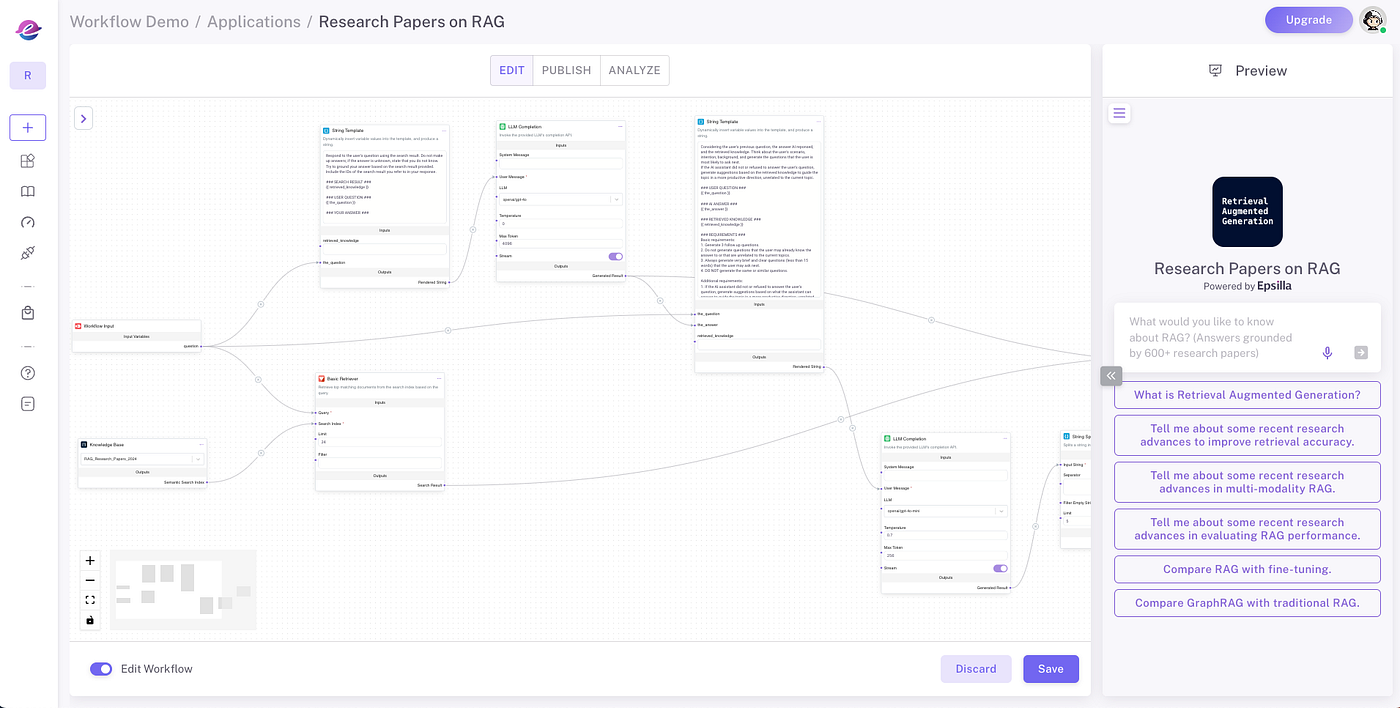
4️⃣Modular RAG Workflow Editor
Epsilla’s modular RAG workflow editor lets you visualize and debug the entire RAG pipeline, from knowledge retrieval and chat history to prompt engineering and LLM completion requests. This tool provides a clear view of how data flows and transforms, allowing you to optimize each step of the workflow.
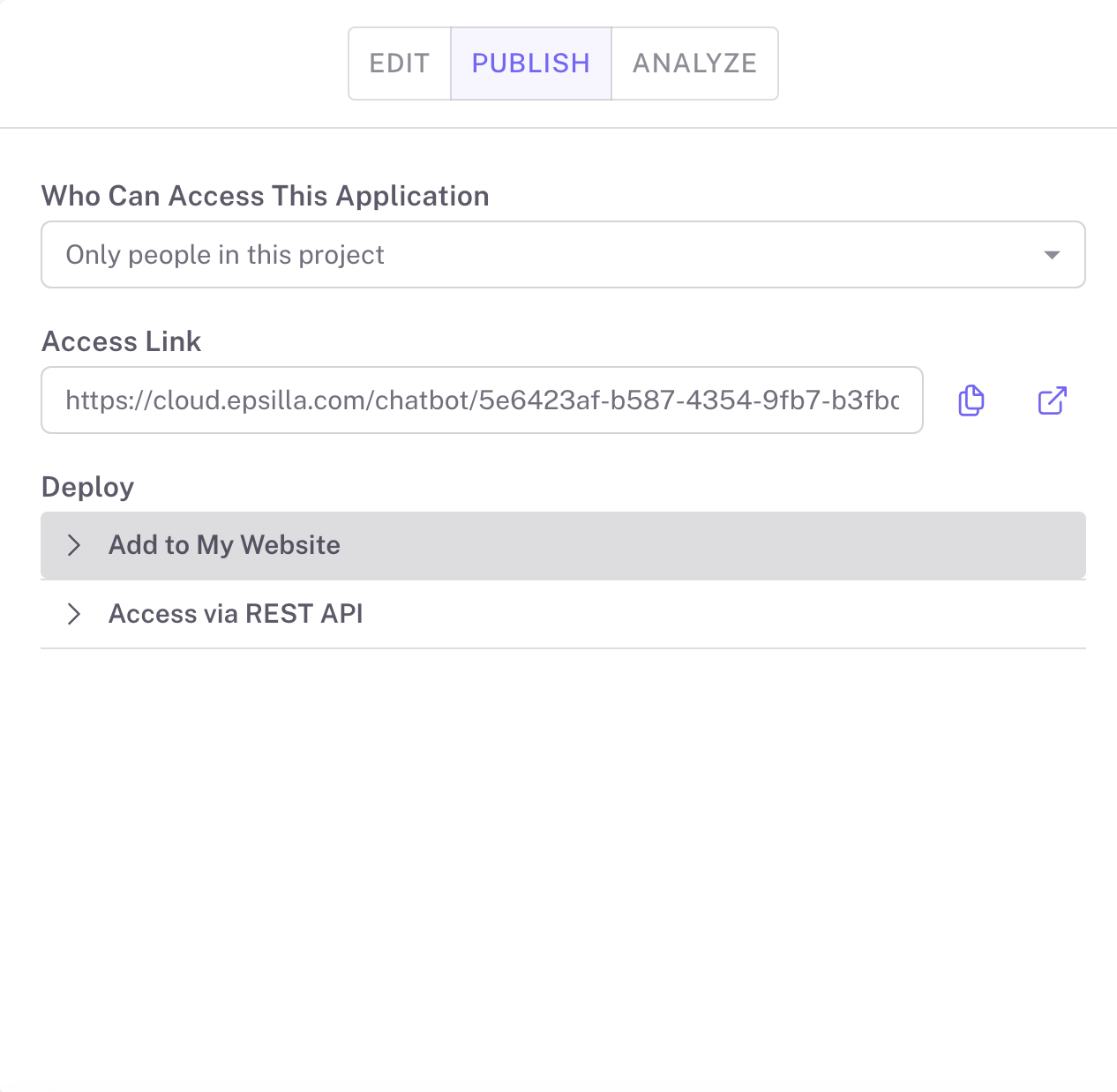
5️⃣Publish and Share Your Chat Agent
Once your chat agent is ready, deploy it to private groups or make it public on the app portal. Built-in features include navigable references to original documents and highlighted sections, providing users with traceable and reliable answers.
6️⃣Collect Feedback and Improve
Gather valuable insights on usage and user feedback to refine and improve your chat agent over time. These insights enable you to iterate on the user experience and boost engagement.
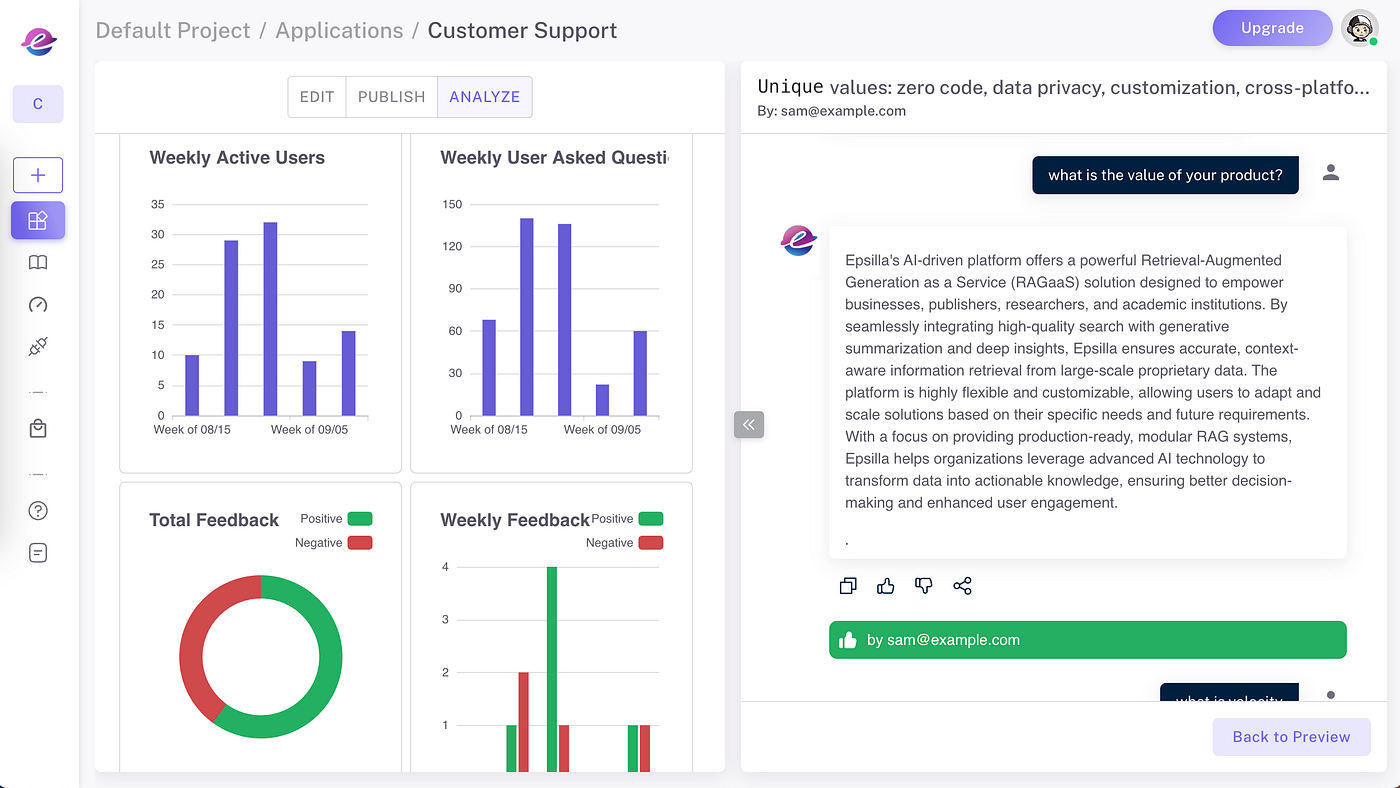
With these steps, your Epsilla chat agent will be ready to deliver an engaging and traceable user experience. The latest version of Epsilla is built with its own advanced LLM and RAG capabilities, so you have everything needed to create effective, customized agents without external integrations.
Conclusion
By bridging the gap between the limitations of standalone LLMs and the need for accurate, up-to-date information, Retrieval Augmented Generation (RAG) stands as a pivotal advancement in AI technology. Leveraging the principles of embeddings and vector search we’ve previously discussed, RAG empowers AI agents to deliver superior user experiences across various applications.
Your data, your AI: Build an AI agent with your own knowledge in minutes with Epsilla.
Further Reading
Read more about large-scale ETL and advanced RAG techniques in our previous articles:
Tutorial: Learn how to build an AI agent with your own knowledge in 5 minutes in our blog post: [How to Build a Financial Analyst AI Chatbot with Epsilla in 3 Easy Steps](https://epsilla.com/blogs/how-to-build-a-financial-analyst-ai-chatbot-with-epsilla-in-3-easy-steps)
Previous Articles:
- Part 1: [Unlocking the Magic of Large Language Models (LLMs): How AI Understands and Generates Text](https://epsilla.com/blogs/unlocking-the-magic-of-large-language-models-llms-how-ai-understands-and-generates-text)
- Part 2: [Can Your AI Remember? Here’s Why Memory is the Key to LLM](https://epsilla.com/blogs/can-your-ai-remember-heres-why-memory-is-the-key-to-llm)
- Part 3: [How Do AI Agents Actually “Understand”? Discover Embeddings and Vector Search](https://epsilla.com/blogs/how-do-ai-agents-actually-understand-discover-embeddings-and-vector-search)
[Large Scale Smart ETL for Unstructured Data in RAG Systems with Epsilla](https://blog.epsilla.com/large-scale-smart-etl-for-unstructured-data-in-rag-systems-with-epsilla-7fd86fa8d6cd)
Get Started Today:
👉Sign Up for Free: Visit [Epsilla](https://www.epsilla.com) and start building your RAG-empowered AI agent.