
Demystifying RAG-Empowered Chatbots: Part 0 — An Introduction and Overview

In today’s fast-paced world of AI and with the latest progress of the Large Language Model (LLM), chatbots are getting smarter and more capable than ever before. However, a common limitation of generic chatbots, like ChatGPT, is their inability to access private, up-to-date information specific to your needs. This is where Retrieval-Augmented Generation (RAG) chatbots come into play. These advanced bots can tap into private knowledge bases, providing accurate and contextually relevant responses that standard chatbots can’t match. In this blog, we’ll break down what RAG chatbots are, how they work, and show you just how easy it is to build your own.
Understanding Large Language Model (LLM)
How LLMs Generate Text
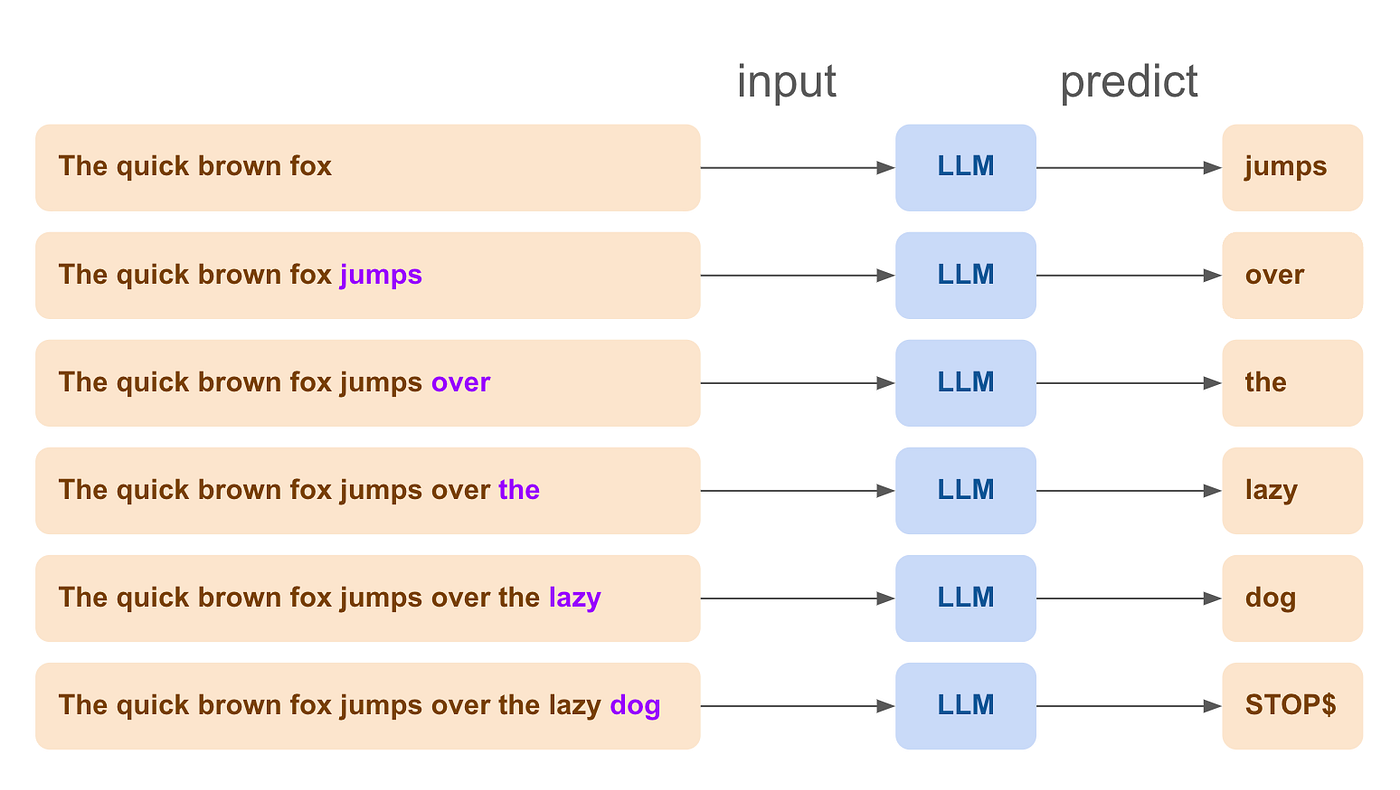
Large Language Models (LLMs) such as GPT, Claude, and Mistral, are powerful AI building blocks designed to predict and generate text based on the input they receive. They work by taking a piece of text and then predicting what the next word or token should be, continuing this process to produce a coherent and contextually appropriate response. This process is known as next-token generation.
For example, if you provide an LLM with the beginning of a sentence like “The quick brown fox”, it will predict and generate the next word, such as “jumps”, followed by “over”, “the”, “lazy”, and “dog” completing the sentence as “The quick brown fox jumps over the lazy dog”
Enhancing Conversational Abilities
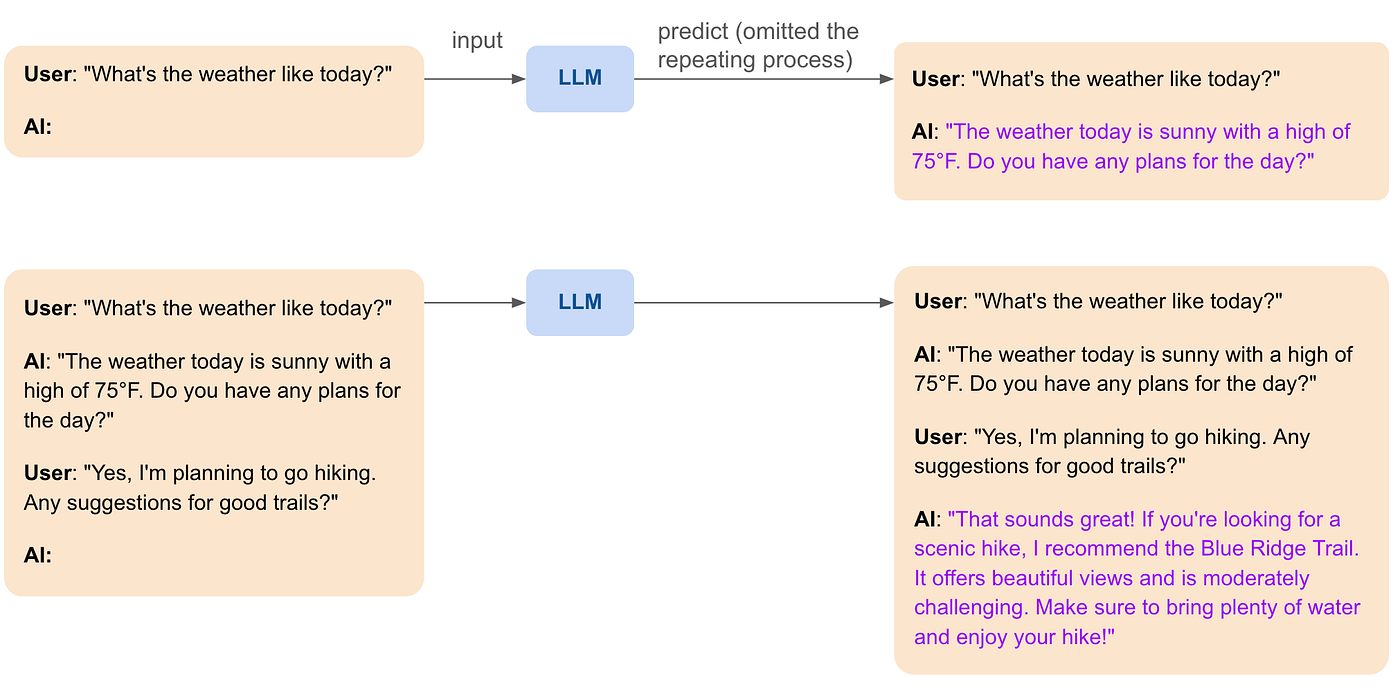
To make LLMs better suited for conversational tasks, they can be fine-tuned specifically for handling dialogues. This involves training the foundation model on large datasets of conversations, which helps it learn the patterns and nuances of human dialogue. Through this fine-tuning process, the model becomes more adept at maintaining the flow of a conversation, understanding context, and providing more accurate and relevant responses. This specialized training enhances the model’s ability to simulate natural, coherent, and context-aware interactions, making it more effective for applications like chatbots and virtual assistants.
Roleplaying with LLMs
Another exciting capability of LLMs is roleplaying. By carefully crafting (system) prompts, LLMs can adopt specific characteristics, tones, and styles to sound like particular personas or experts. This can make interactions more engaging and personalized. For example, a chatbot can be designed to sound like a friendly travel guide, a knowledgeable doctor, or even a historical figure. Here’s an example of a roleplaying LLM interaction:
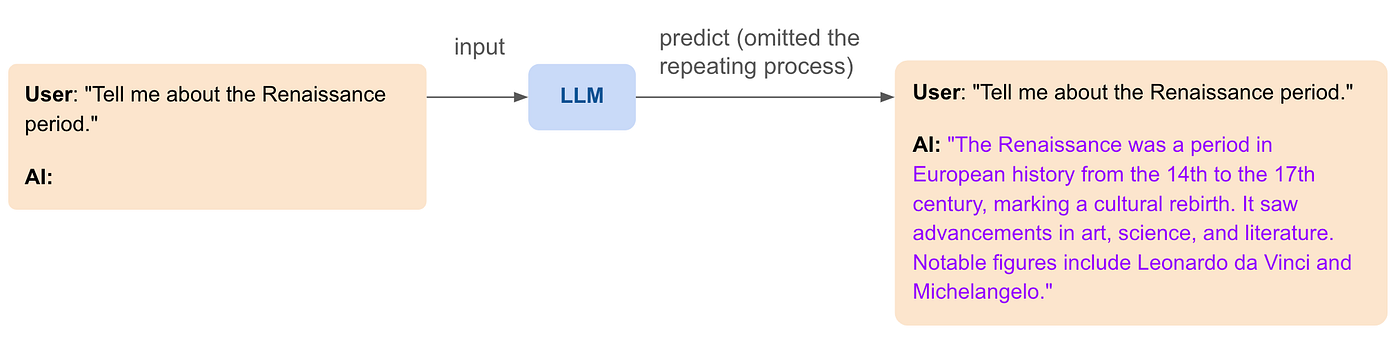
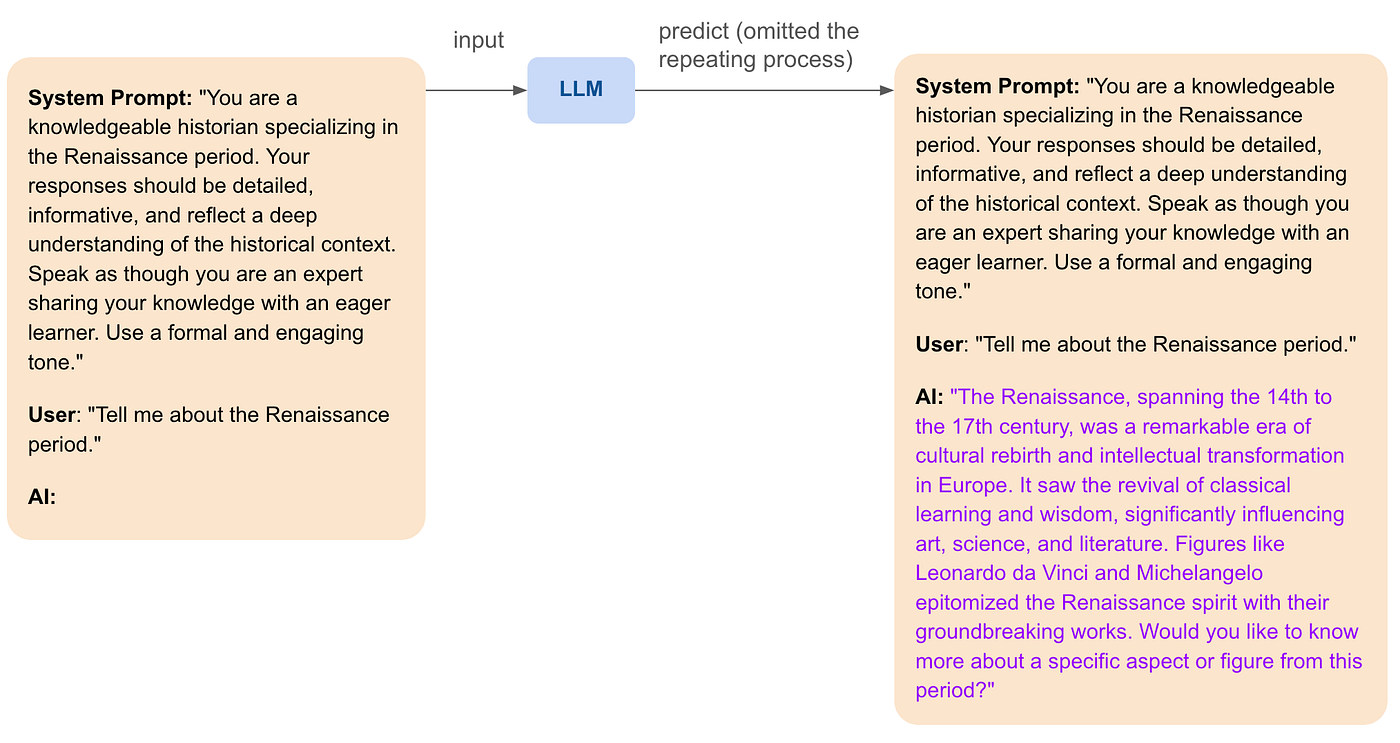
This ability to roleplay allows LLMs to provide more immersive and contextually rich interactions, making them suitable for a wide range of applications, from education to customer service.
LLM Limitations
Despite their impressive capabilities, LLMs have some important limitations:
- No Memory or State: LLMs don’t have a memory or state. Each time you interact with them, they generate responses based solely on the input you provide at that moment. They don’t remember past interactions or maintain any ongoing context unless that context is included in the input each time.
- Static Intrinsic Knowledge: The information LLMs use comes from their training data, which is frozen at the time the training started. This means they can’t access any private data from an organization or up-to-data public data unless they are retrained or connected to a system that provides such updates.
While understanding these aspects helps set realistic expectations about what LLMs can and cannot do, it also opens the door to enhancing their capabilities further. The next sections will explore two key advancements: maintaining a memory for the conversation to ensure coherence and using Retrieval-Augmented Generation (RAG) to build a dynamic knowledge base that allows chatbots to access private and up-to-date information.
Maintaining a Memory for the Conversation
One significant limitation of Large Language Models (LLMs) is their lack of memory or state. This means that each interaction with the model is independent, without any context from previous exchanges. For a more coherent and contextually aware conversation, maintaining a memory is crucial.
Why Memory Matters
In human interactions, the hippocampus handles memory, enabling us to recall previous parts of a conversation and ensuring continuity and coherence.
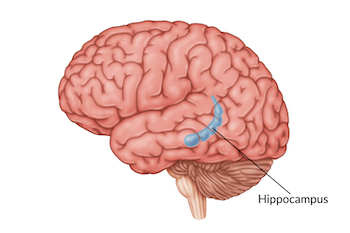
Similarly, for chatbots, maintaining a memory of the conversation ensures that responses are relevant and contextually appropriate. This leads to more natural and engaging interactions.
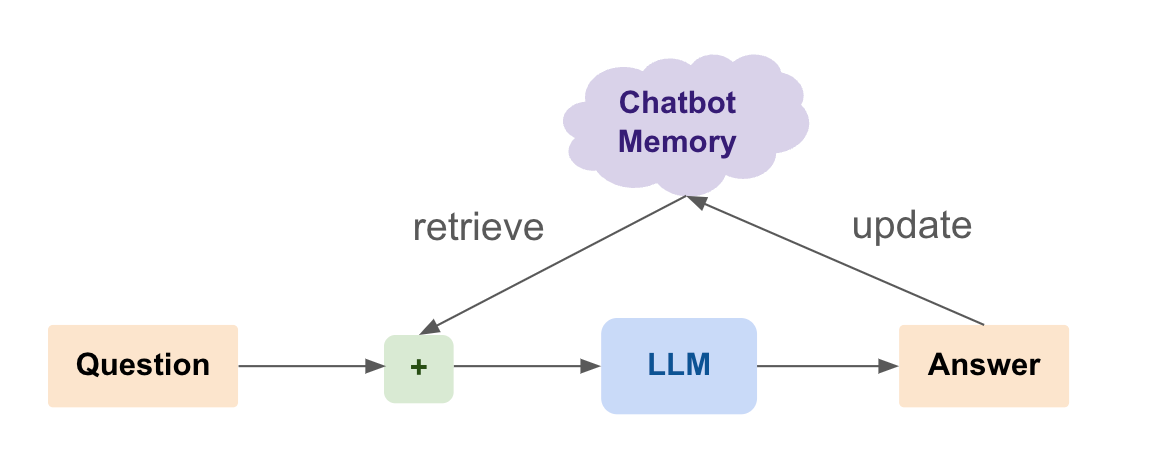
Imagine you are using a customer service chatbot to resolve an issue with your recent order.
Without Memory:
- User: “I ordered a laptop last week, but it hasn’t arrived yet.”
- AI: “I’m sorry to hear that. Can you please provide your order number?”
- User: “My order number is 12345.”
- AI: “How can I help you with your order?”
Here, the chatbot forgets the user’s initial statement and the provided order number, forcing the user to repeat information, which can be frustrating and inefficient.
With Memory:
- User: “I ordered a laptop last week, but it hasn’t arrived yet.”
- AI: “I’m sorry to hear that. Can you please provide your order number?”
- User: “My order number is 12345.”
- AI: “Thank you. I see that your order is delayed due to shipping issues. Would you like an update on the expected delivery date?”
In this scenario, the chatbot remembers the context and the order number, allowing it to provide a relevant and helpful response, making the interaction smoother and more satisfying for the user.
Maintaining a memory for the conversation enhances the chatbot’s ability to provide coherent, context-aware, and personalized responses. This results in a more satisfying and effective user experience, bridging the gap between human-like interactions and automated responses.
Techniques for Maintaining Memory
In brief conversations, short-term memory can be maintained within the session by keeping track of the last few exchanges and using them as context for generating responses.
Example:
- User: “What’s the weather like today?”
- AI: “The weather today is sunny with a high of 75°F. Do you have any plans?”
- User: “Yes, I’m going hiking.”
- AI: “That sounds great! Make sure to bring plenty of water and sunscreen.”
In this example, the chatbot remembers that the user is planning to go hiking and provides a relevant follow-up response, making the conversation feel more natural and connected.
For ongoing interactions, such as with customer support or personal assistants, long-term memory can be used to retain information across sessions. This involves storing relevant data in a database and retrieving it as needed.
Example:
- User: “Can you remind me of my meeting schedule for today?”
- AI: “You have a team meeting at 10 AM and a project review at 3 PM. Would you like any other reminders?”
Here, the chatbot retains the user’s schedule information and can provide reminders, making it a useful tool for managing daily activities.
By dynamically including previous parts of the conversation in the prompt, the chatbot can generate responses that consider the entire context.
Example:
- User: “Any suggestions for good hiking trails?”
- AI: “Since you are going hiking today, I recommend the Blue Ridge Trail for its beautiful scenery and moderate difficulty.”
This technique involves summarizing and incorporating relevant details from the conversation to create a coherent and contextually aware response.
By tagging conversations with metadata, such as user preferences or past interactions, the chatbot can retrieve and use this information to personalize responses.
Example:
- User: “Can you recommend a restaurant?”
- AI: “Sure! Last time you enjoyed Italian cuisine. How about trying Luigi’s Italian Bistro?”
By remembering user preferences, the chatbot can offer personalized recommendations, enhancing the user experience.
Implementing Memory in Chatbots
Memory can be implemented using various techniques and technologies:
- Databases: Storing user interactions in databases allows for easy retrieval and management of context. This method is particularly useful for persistent memory where long-term information needs to be maintained.
- Stateful APIs: Using stateful APIs helps keep track of conversation history within a session, making it possible to maintain short-term memory effectively.
- Custom Logic: Writing custom logic to parse and maintain context from user interactions can ensure that the chatbot remains aware of the ongoing conversation, providing relevant and coherent responses.
Enabling Chatbots to Access Private Knowledge with RAG and Vector Search
LLMs’ intrinsic knowledge is static and becomes outdated as soon as new information emerges. Moreover, they can only access public data that was available during their training. This limitation significantly impacts their effectiveness in real use cases where up-to-date and private information is crucial. For example, a financial advice chatbot relying on outdated market data may provide inaccurate guidance, leading to poor investment decisions. Similarly, a customer service bot unable to access the latest product updates or shipping statuses can frustrate users with outdated or irrelevant responses. Pure LLMs cannot be applied to scenarios requiring access to private, proprietary information, such as internal company documents or sensitive user data.
To further enhance the capabilities of chatbots, enabling them to access private, up-to-date information is crucial. This can be achieved through Retrieval-Augmented Generation (RAG) using vector search. By leveraging RAG, chatbots can provide more accurate and contextually relevant responses based on the latest data from specific knowledge bases.
Understanding the LLM Context Window
The context window of an LLM refers to the maximum number of tokens (approximately every 4 characters is one token) that the model can consider at once when generating a response. This window is limited, which means that not all relevant information can always be included in a single prompt. For example, if the context window is 128k tokens (GPT-4o), any information beyond this limit will not be considered by the model.
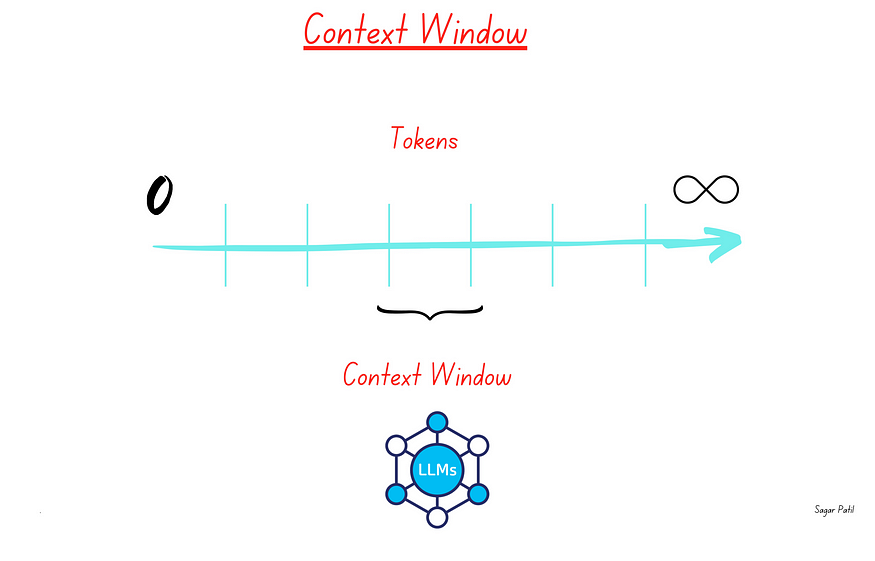
Example: If a user asks a question that requires information from a lengthy document, the LLM might not be able to include all necessary details within its context window, leading to incomplete answers.
What are Embeddings?
Embeddings, also known as vectors, are numerical representations of complex data such as text, images, audio, and video, formatted in a way that machines can process. Embedding models convert these types of data into vectors of real numbers, capturing their semantic meaning and enabling algorithms to understand content similarity and context. This technique is pivotal in various applications, from Retrieval-Augmented Generation (RAG) to recommendation systems and language translation, as it allows computers to “understand” and work with human language.

Machine learning neural networks are trained to generate these embeddings through a process called embedding training. This involves feeding the network large amounts of data and adjusting the weights of the network based on the similarity between the input data and the desired output. For instance, in natural language processing, a neural network might be trained on large text corpora to learn that words like “king” and “queen” are related but distinct, and this relationship is captured in the numerical vectors assigned to each word.
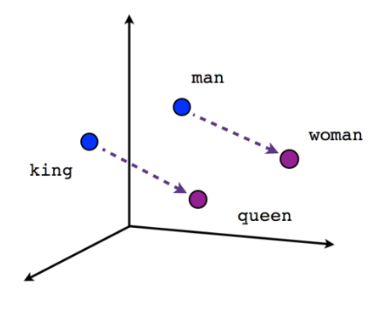
In embedding models, the mathematical premise is that the closer two vectors are in high-dimensional space, the more semantically similar they are. This characteristic is leveraged in vector databases for semantic similarity search, using algorithms like nearest neighbor search. These algorithms compute the distances between vectors, interpreting smaller distances as higher similarity. This approach enables applications to find closely related items (such as texts, images, audio, and videos) based on their embedded vector representations, making it possible to conduct searches and analyses based on the meaning and context of the data, rather than just literal matches.
- Example: The phrase “climate change” and “global warming” might have similar embeddings because they refer to related concepts, even though the wording is different.
How Vector Search Works
Vector search involves indexing and searching for information based on embeddings. When a query is made, it is converted into an embedding and compared with the embeddings of documents in the knowledge base. The most similar documents are retrieved and used to augment the LLM’s context.
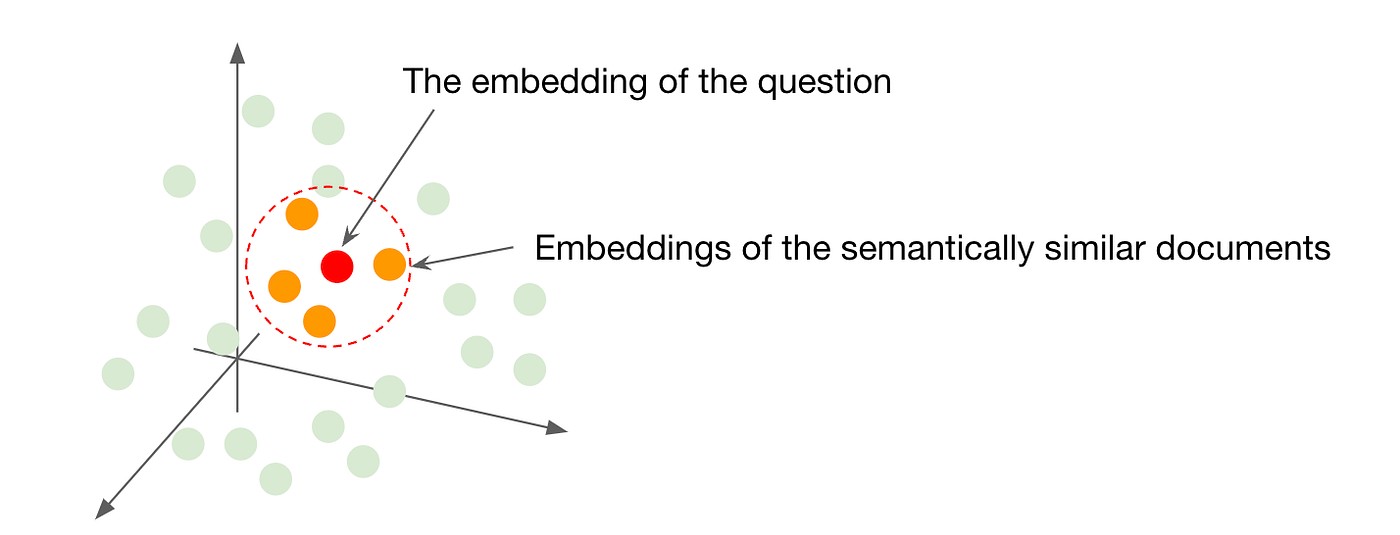
Example: If a user asks, “What are the health benefits of green tea?” the query is converted into an embedding. The vector search engine then retrieves documents with similar embeddings that discuss the health benefits of green tea.
Implementing RAG with Vector Search
Retrieval-Augmented Generation (RAG) combines the generative capabilities of Large Language Models (LLMs) with the retrieval power of vector search. This approach enables chatbots to provide more accurate and contextually relevant responses by leveraging up-to-date information from a structured knowledge base.
Implementing Retrieval-Augmented Generation (RAG) with vector search involves two main stages: building the knowledge base and applying RAG techniques to retrieve and generate responses.
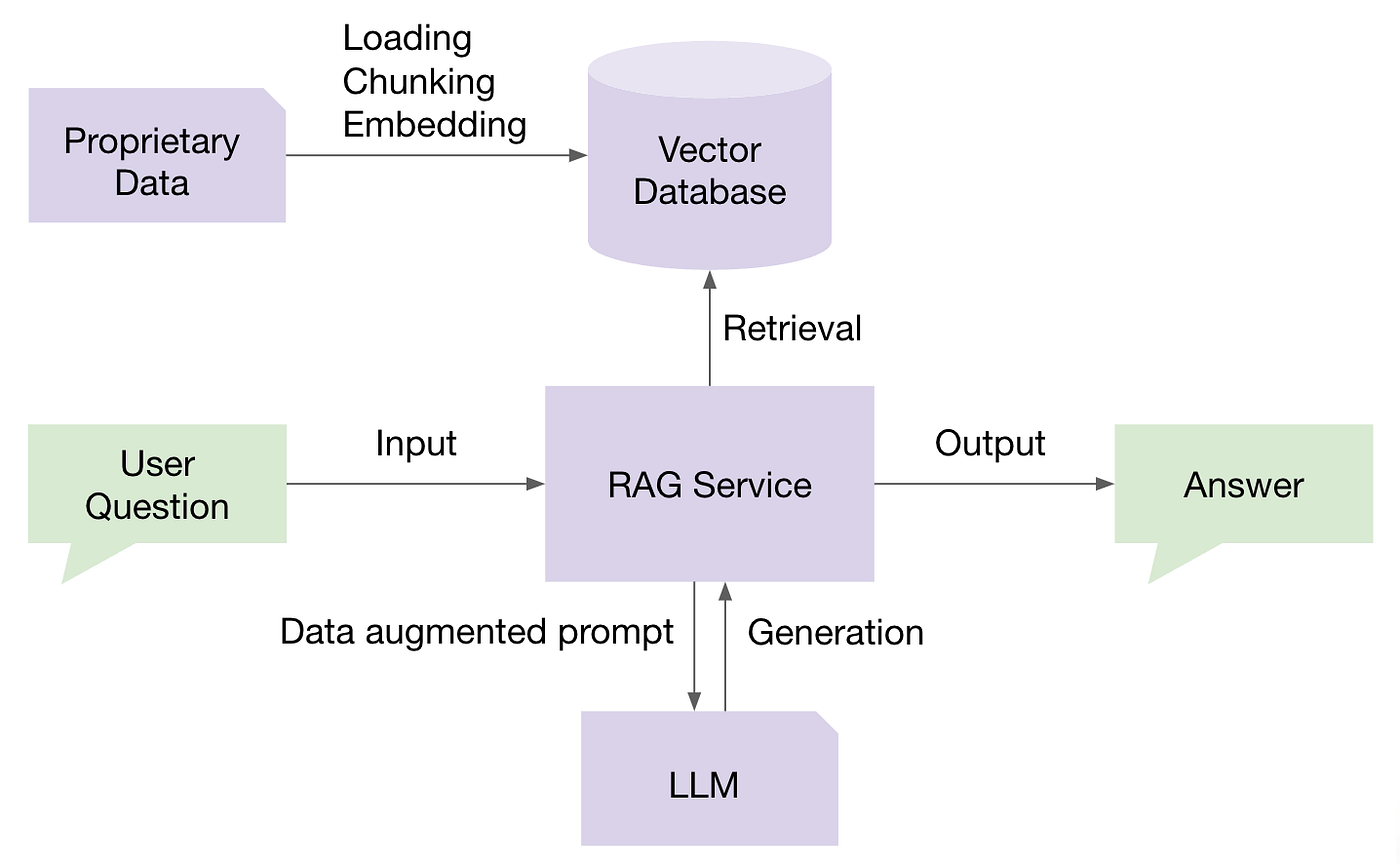
Stage 1: Building the Knowledge Base
Building a robust knowledge base is the foundation of an effective RAG system. This process involves several key steps:
Data Preprocessing: Clean and preprocess the collected data to ensure consistency and quality. In traditional RAG, this means chunking the data into smaller pieces with cohesive semantic meaning.
Embedding Generation: Use an embedding model to convert the text data into high-dimensional vectors. The embeddings represent each document in a way that makes it easy to compare their content.
Indexing: Store the generated embeddings in a vector database. This database allows for efficient storage, retrieval, and management of the embeddings, facilitating quick searches based on vector similarity.
Periodic Updates: Continuously update the knowledge base with new information to ensure that the system remains current and relevant. This may involve automated processes to ingest new data and update the embeddings.
Stage 2: Retrieval-Augmented Generation (RAG)
Once the knowledge base is built and populated with embeddings, the RAG process can be implemented to enhance the chatbot’s responses:
Query Embedding: When a user query is received, it is converted into an embedding using the LLM.
Vector Search: The embedding is used to search a pre-indexed knowledge base for the most relevant documents.
Context Augmentation: The retrieved documents are then included in the context window of the LLM.
Response Generation: The LLM generates a response using the augmented context, which now includes specific and up-to-date information from the knowledge base.
By integrating RAG with vector search, chatbots can overcome the limitations of LLM context windows and provide more precise and relevant responses. This makes them powerful tools for applications requiring access to specific and dynamic information, such as customer support, research, and personalized recommendations.
Piecing All the Components Together with Epsilla’s No-Code RAG-as-a-Service Platform
In a crowded market where vendors typically specialize in individual components of building a RAG-empowered chatbot — such as vector database vendors, embedding service vendors, LLM orchestration vendors, evaluation and observability vendors, and even chatbot/agent memory management vendors — Epsilla stands out as the unique all-in-one solution. We provide an integrated platform that covers the entire end-to-end workflow for building RAG-empowered chatbots. This comprehensive approach not only simplifies the process but also ensures seamless interaction between all components, from building and managing your knowledge base to customizing prompts and debugging workflows. With Epsilla, you can efficiently create and deploy sophisticated RAG chatbots without needing to stitch together multiple disparate solutions.
Building a working RAG-empowered chatbot on Epsilla takes less than 5 minutes. Read more here:
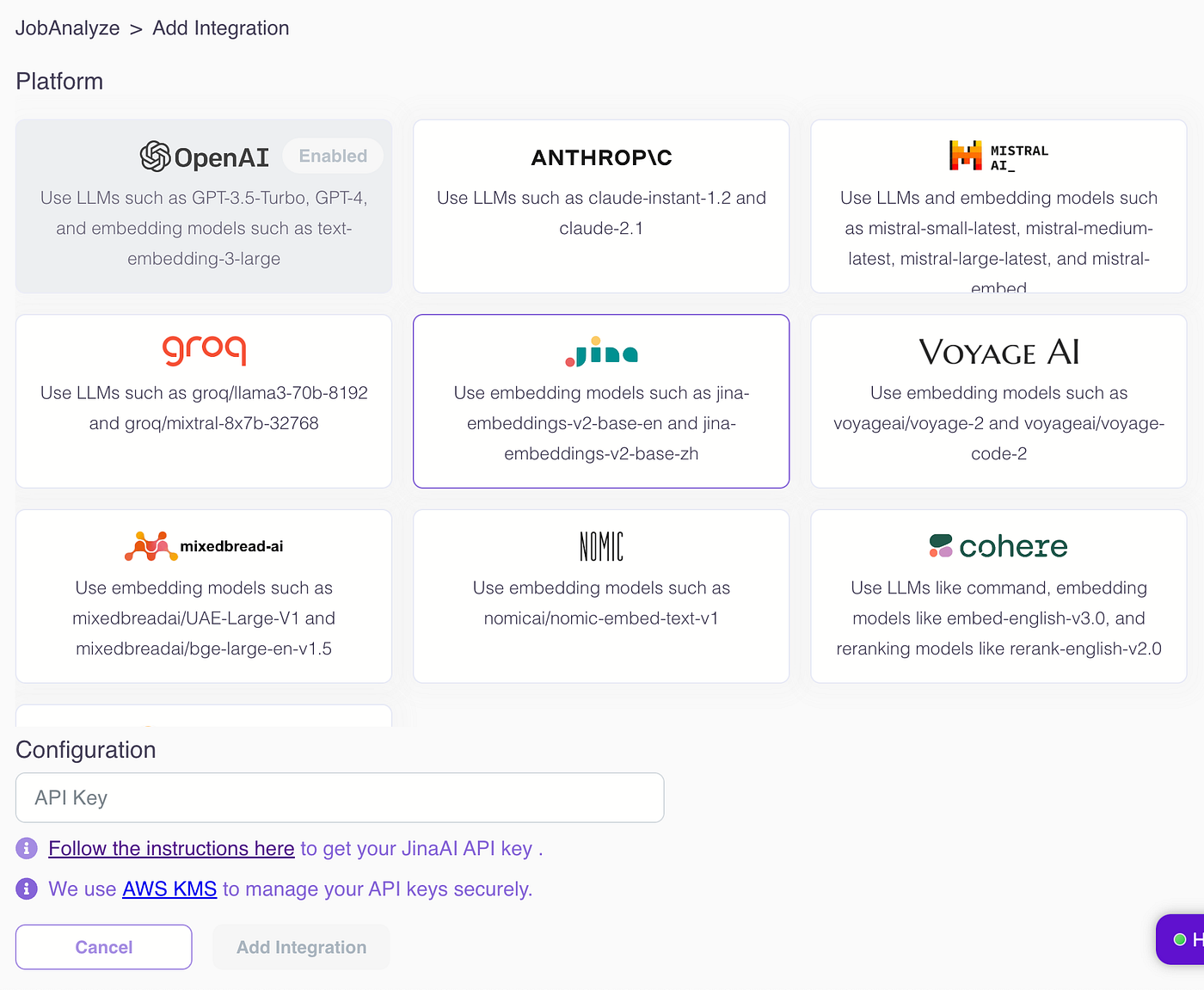
Plug in your favorite LLM model, whether it’s open source, closed source, or self-hosted:
2. Create knowledge sources by uploading your documents in various formats (PDF, DOCX, CSV, HTML, JSON, etc.) from multiple sources (local drive, cloud drive, web pages):
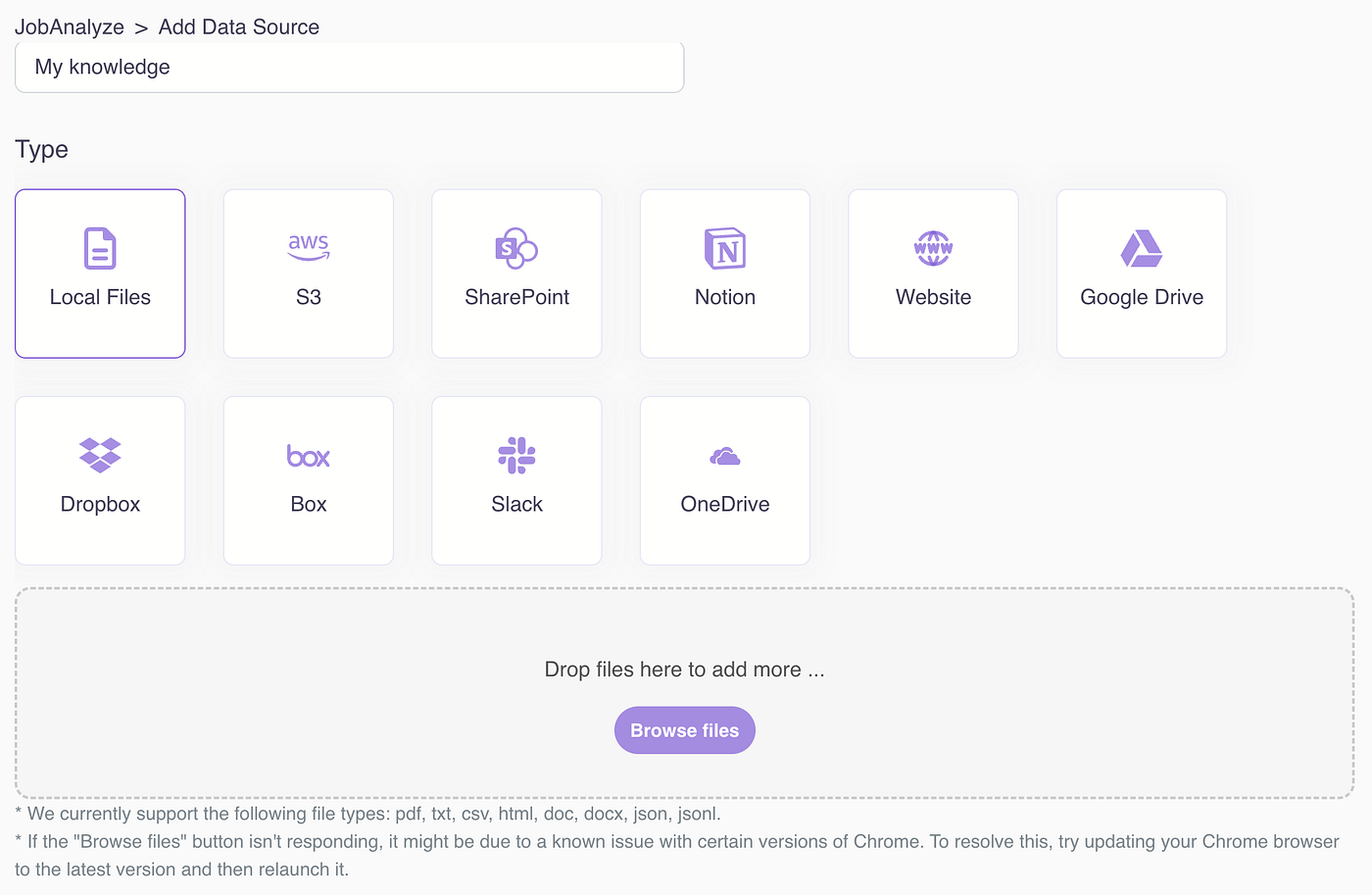
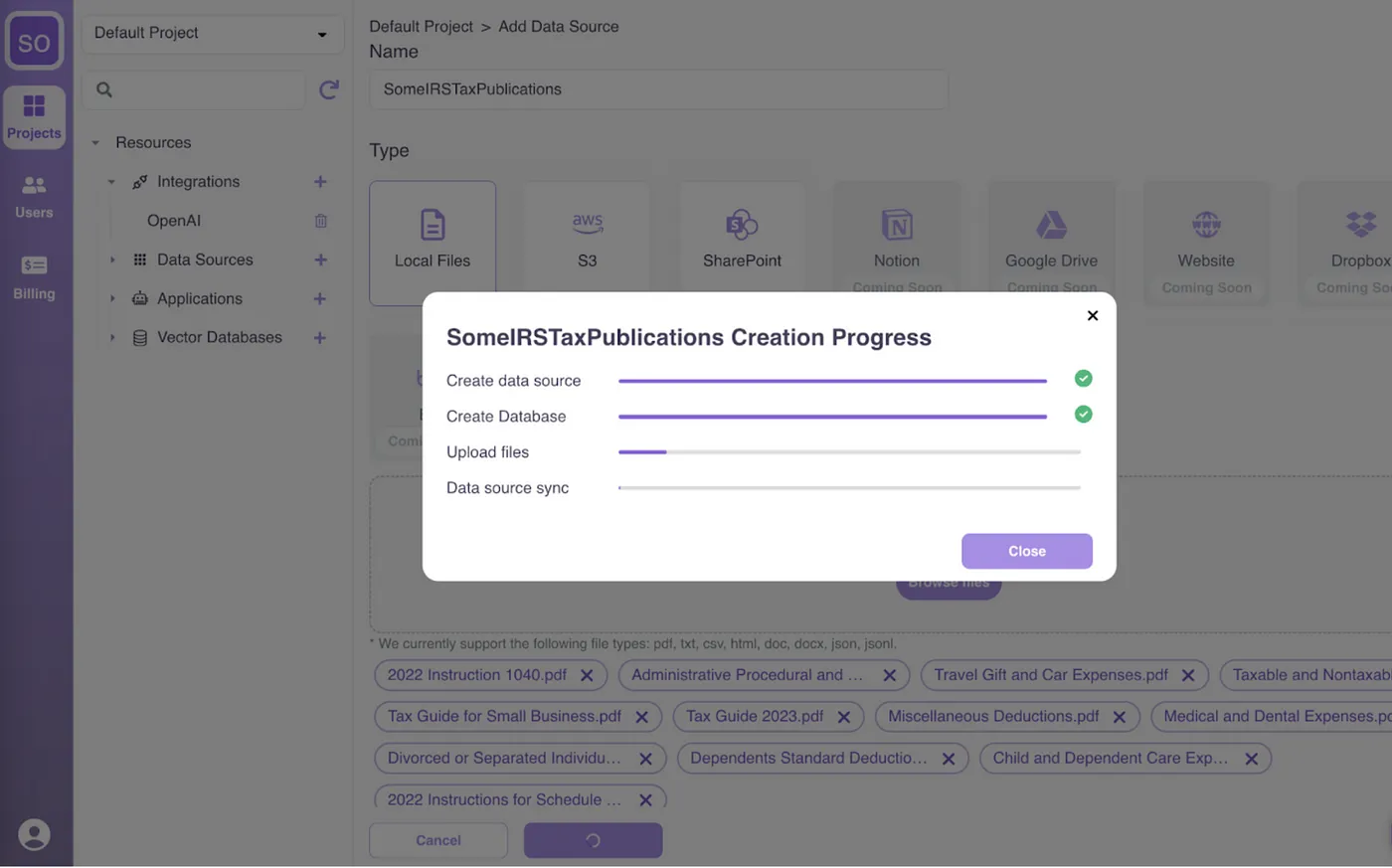
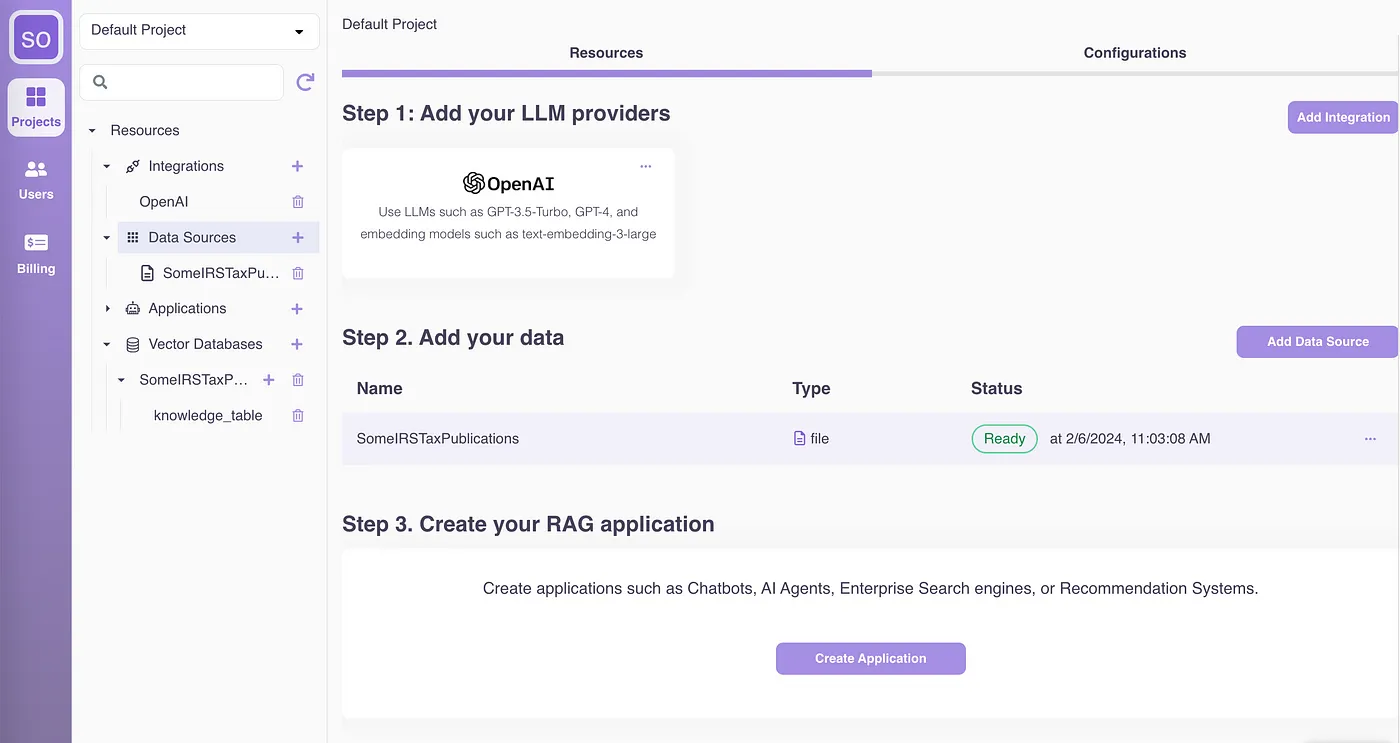
Under the hood, Epsilla’s ETL infrastructure is designed to handle data chunking, embedding, and storage at a large scale. This robust infrastructure ensures that your data is efficiently processed and stored in Epsilla’s vector database, ready for quick retrieval and use in your RAG chatbot. Read more about the technical details here:
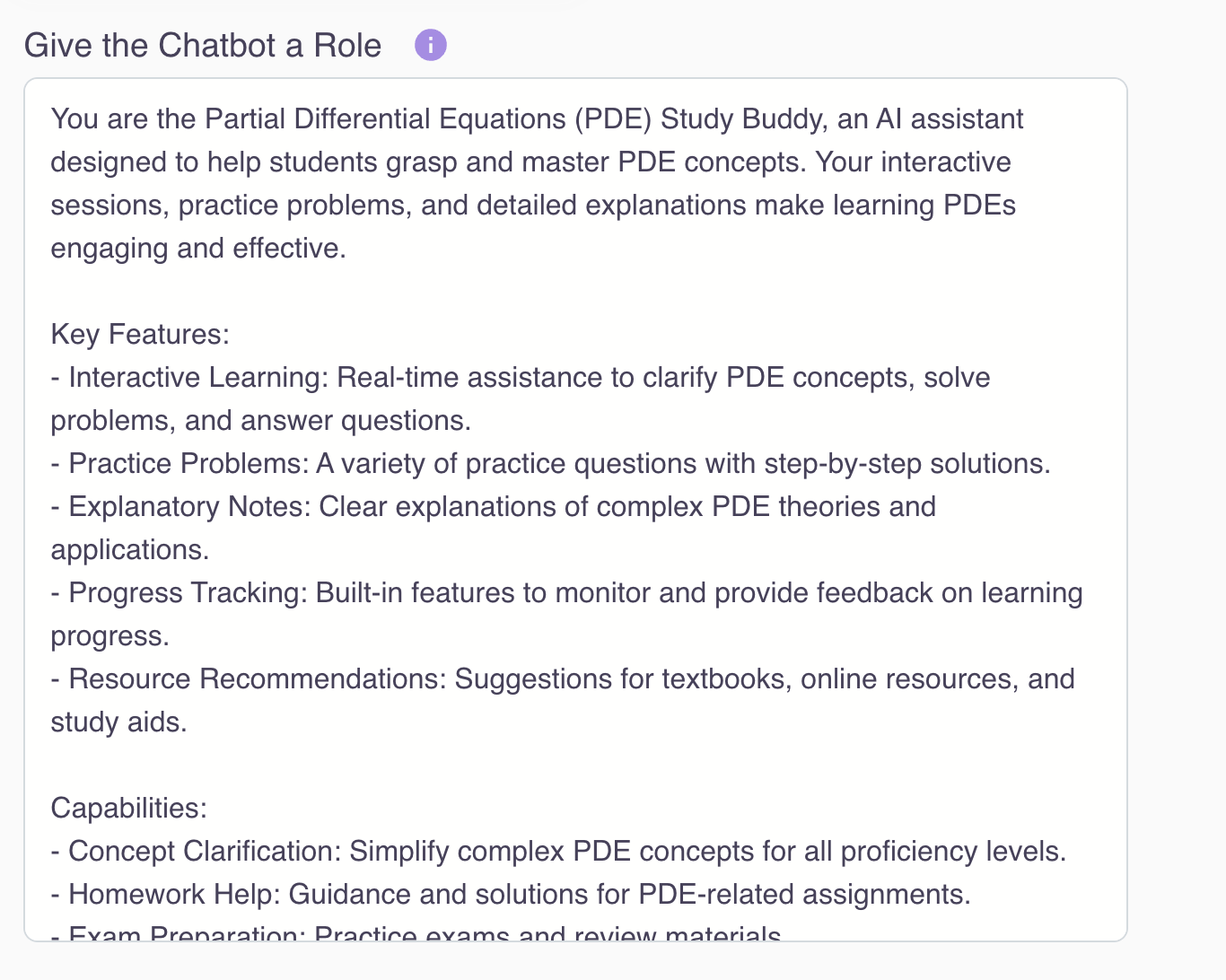
3. Create and configure your chatbot to customize templated settings for look and feel, level of sophistication, optional features (such as auto-generating suggested questions), and fine-grained configurations (prompt engineering, retriever customization, hybrid search, etc.)
Here we let you configure the LLM roleplay:
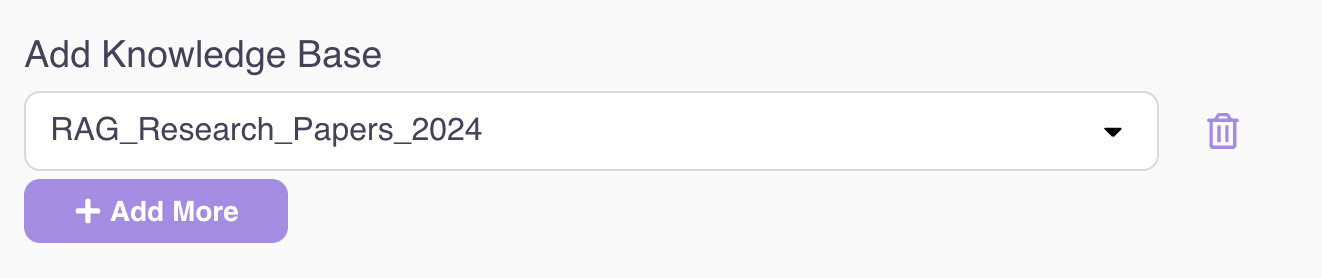
Access one or many knowledge bases:
Fine-tune the chat history (e.g., how many rounds of conversations to retain during the interaction)

Fine-tune the RAG retriever (e.g., tweak the search top K, add metadata filtering, etc.)
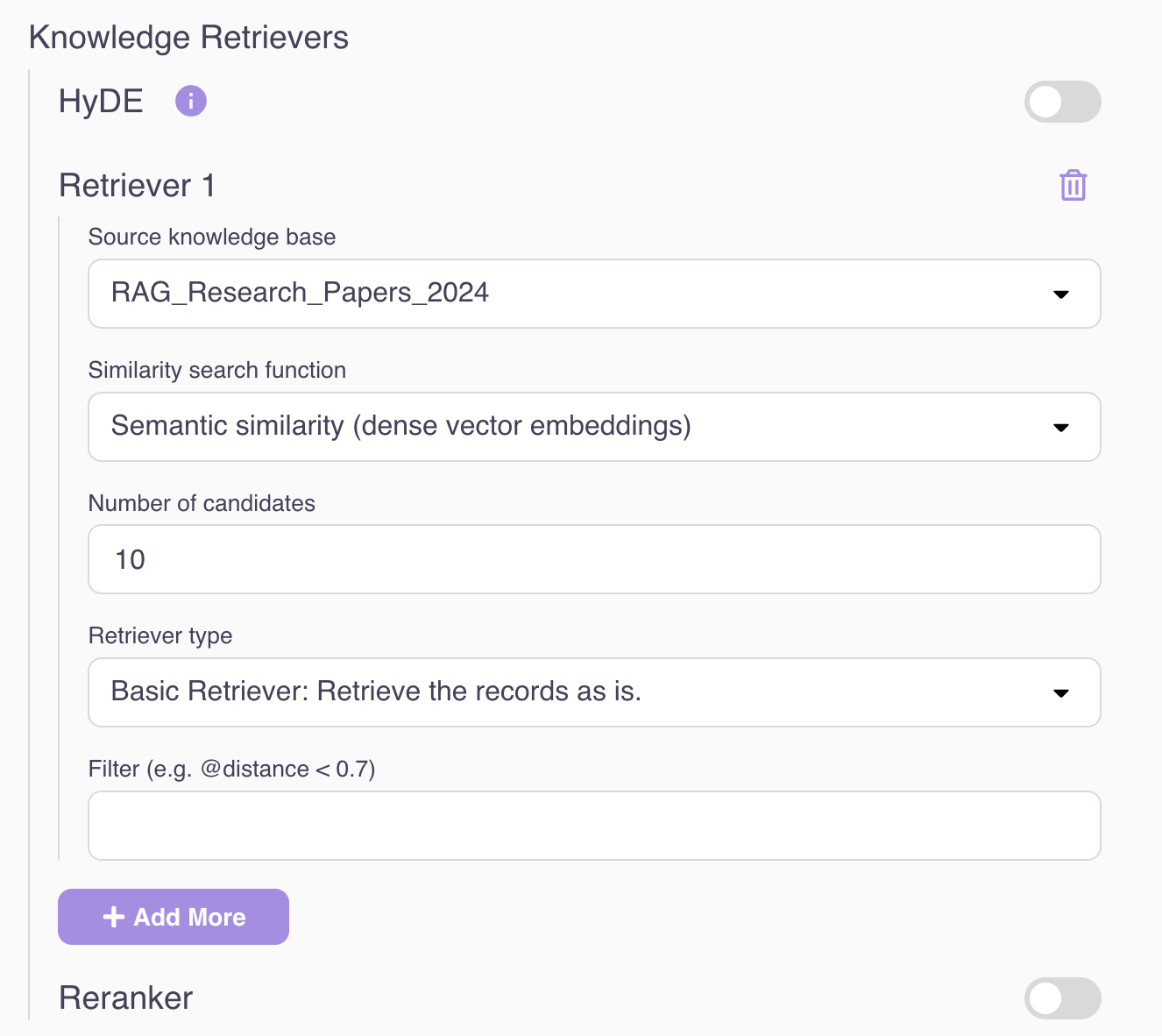
Other advanced RAG techniques (such as query rewriting, HyDE, hybrid search, reranking, etc.) will be covered in follow-up articles.
We also provide a modular RAG workflow editor for you to visualize and debug the RAG pipeline at the knowledge retriever, chat history, and every single prompt engineering / LLM completion request level. This intuitive tool helps you understand how the data flows and transforms during the entire RAG workflow at each individual step.
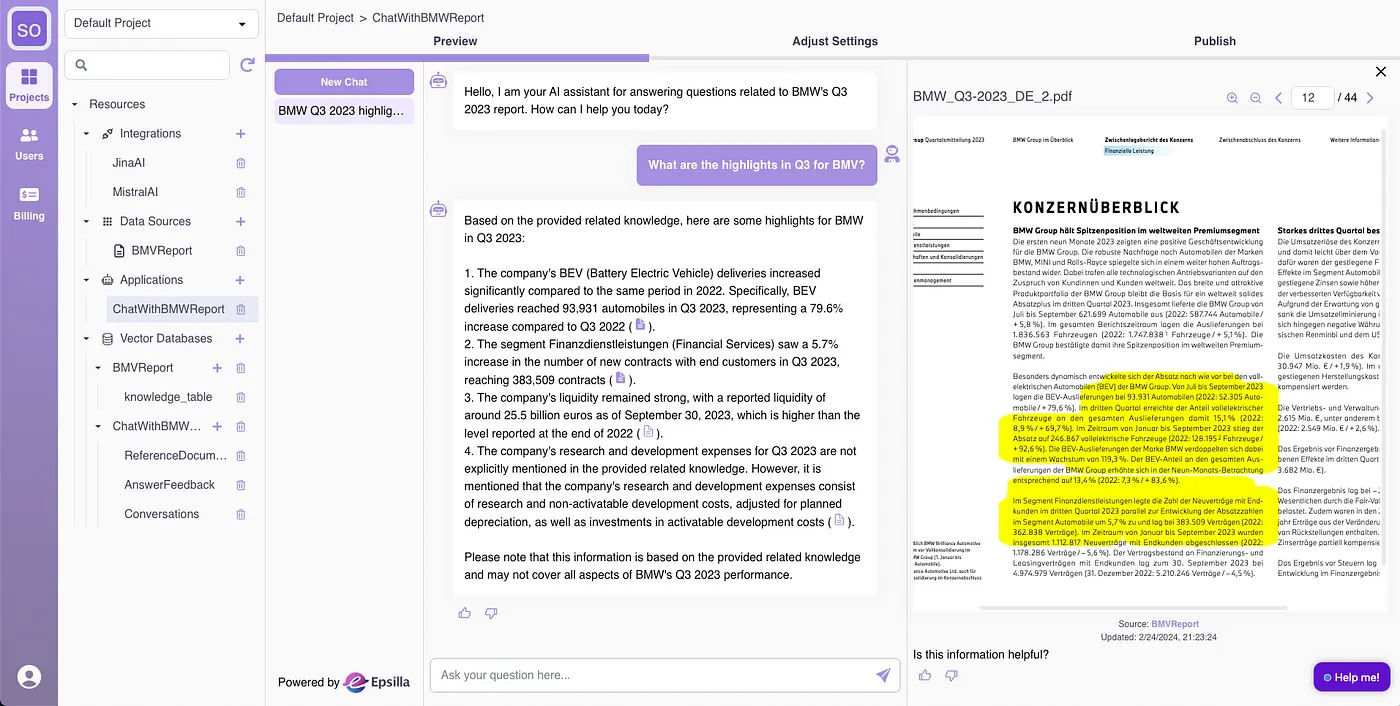
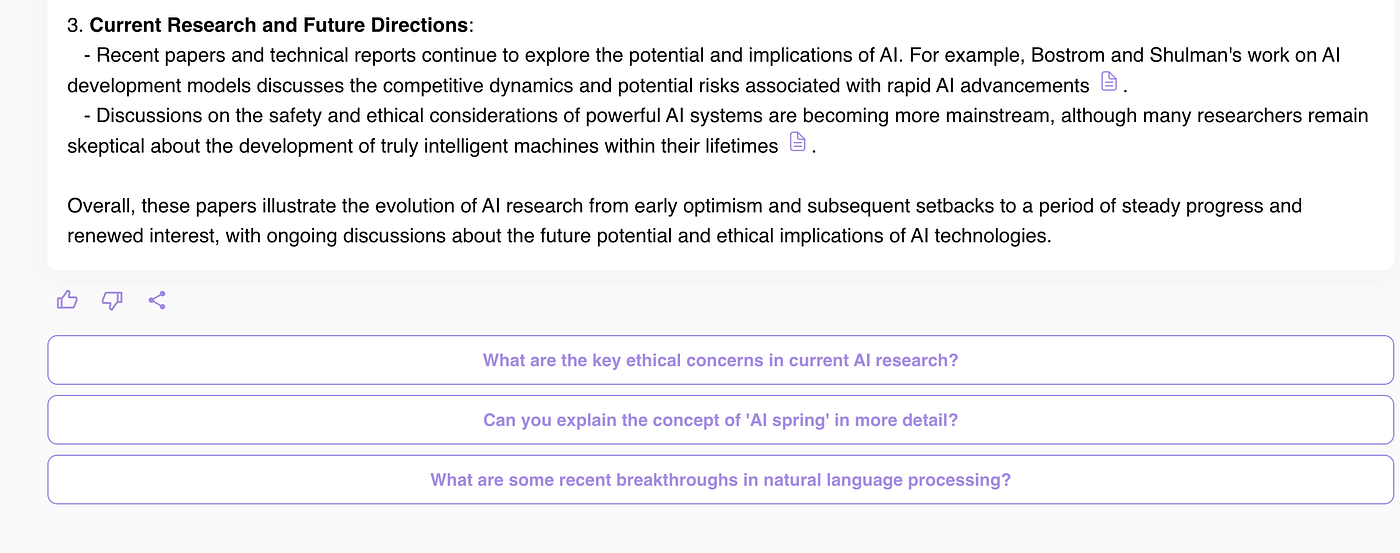
4. Publish to private groups or public audiences on the app portal. The chatbot comes with built-in capabilities to provide navigable references to answers for traceability and dependability, including highlighting relevant information in the original PDF.
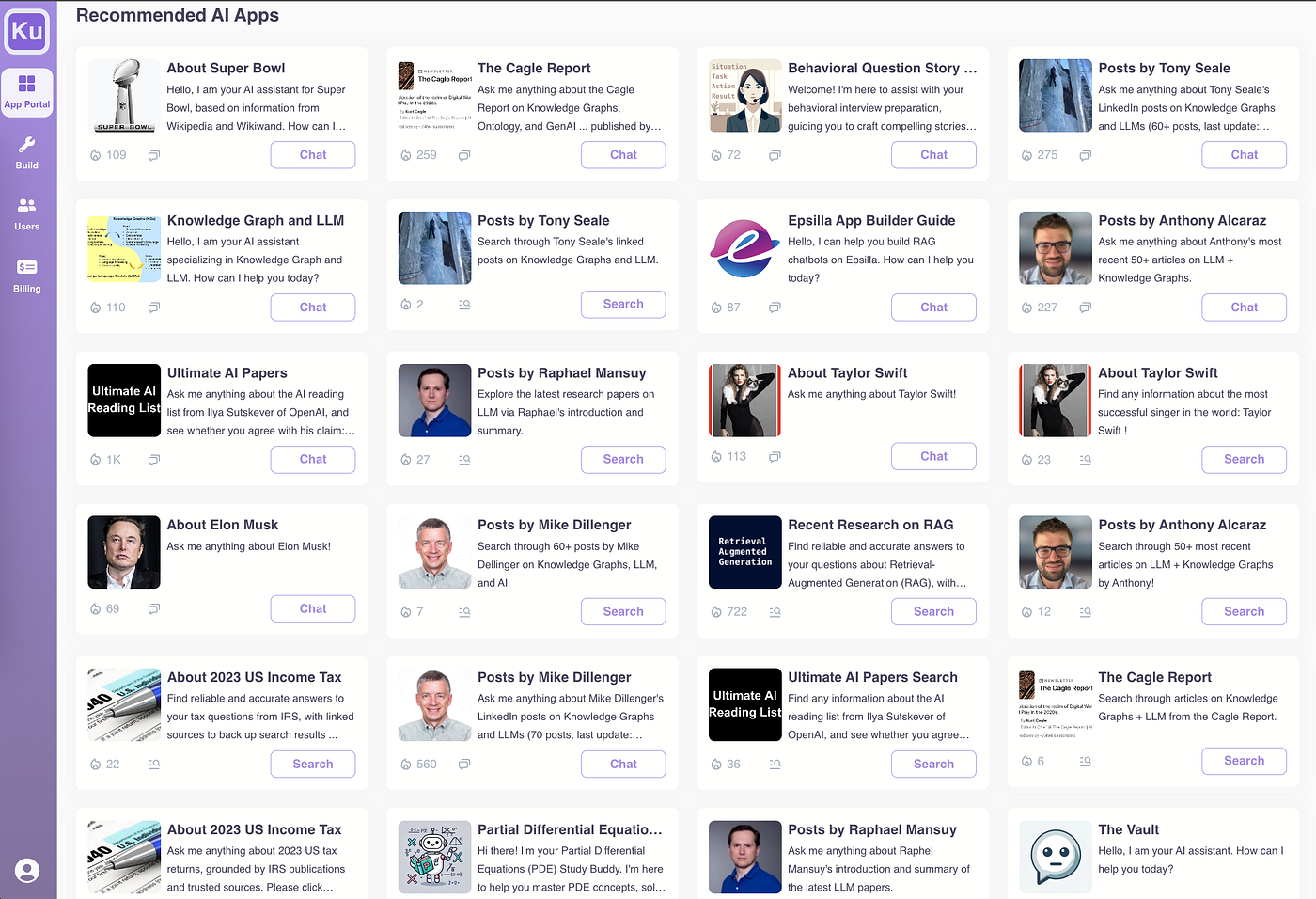
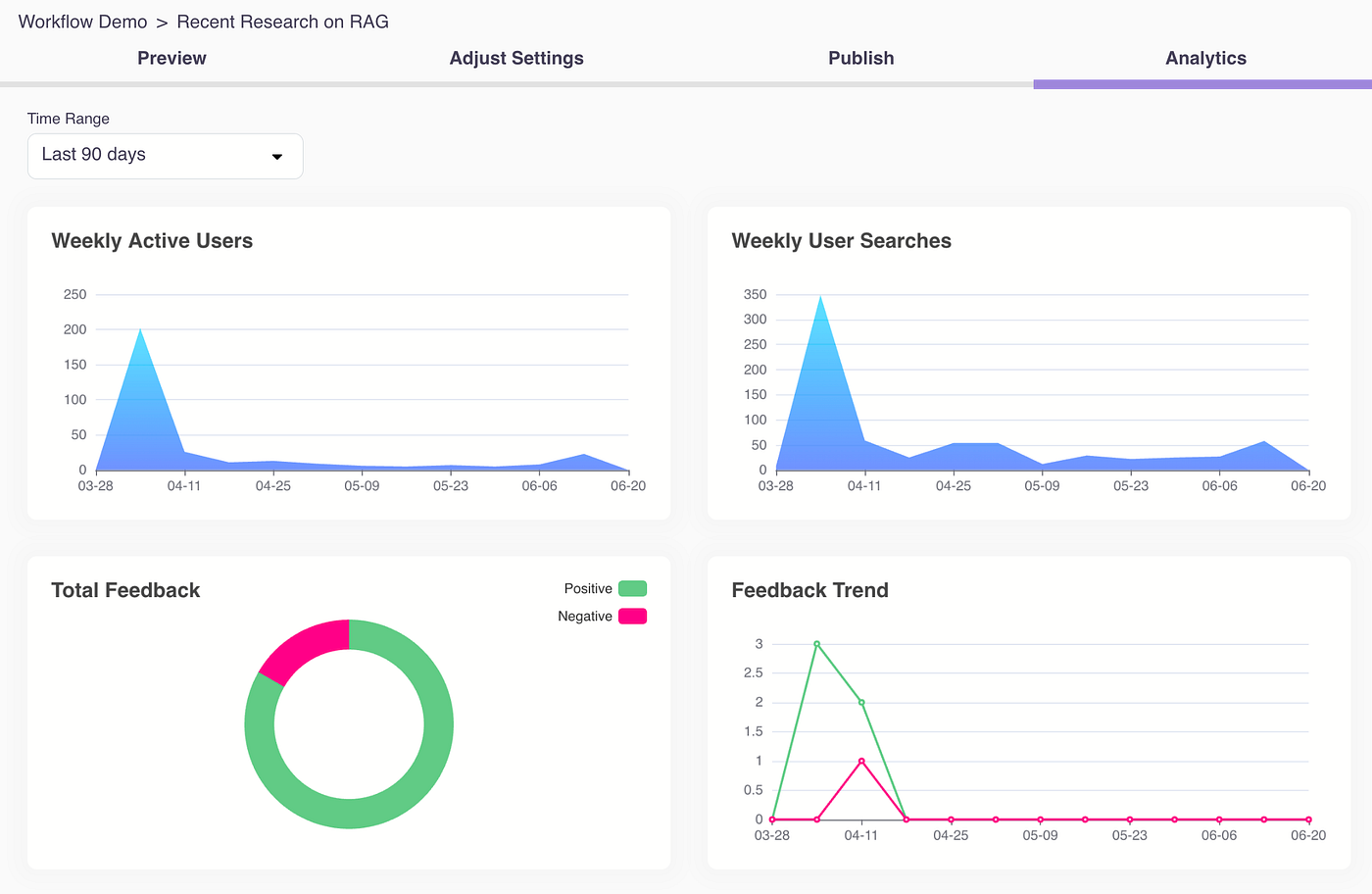
5. Collect user feedback and display usage and feedback insights to empower builders to iterate and improve the quality of their GenAI apps with tools.

6. Out-of-the-box delightful user experience includes chat history, navigable links to documents backing up generated answers, suggested follow-up questions, and the ability to easily share good or interesting questions/answers with others.
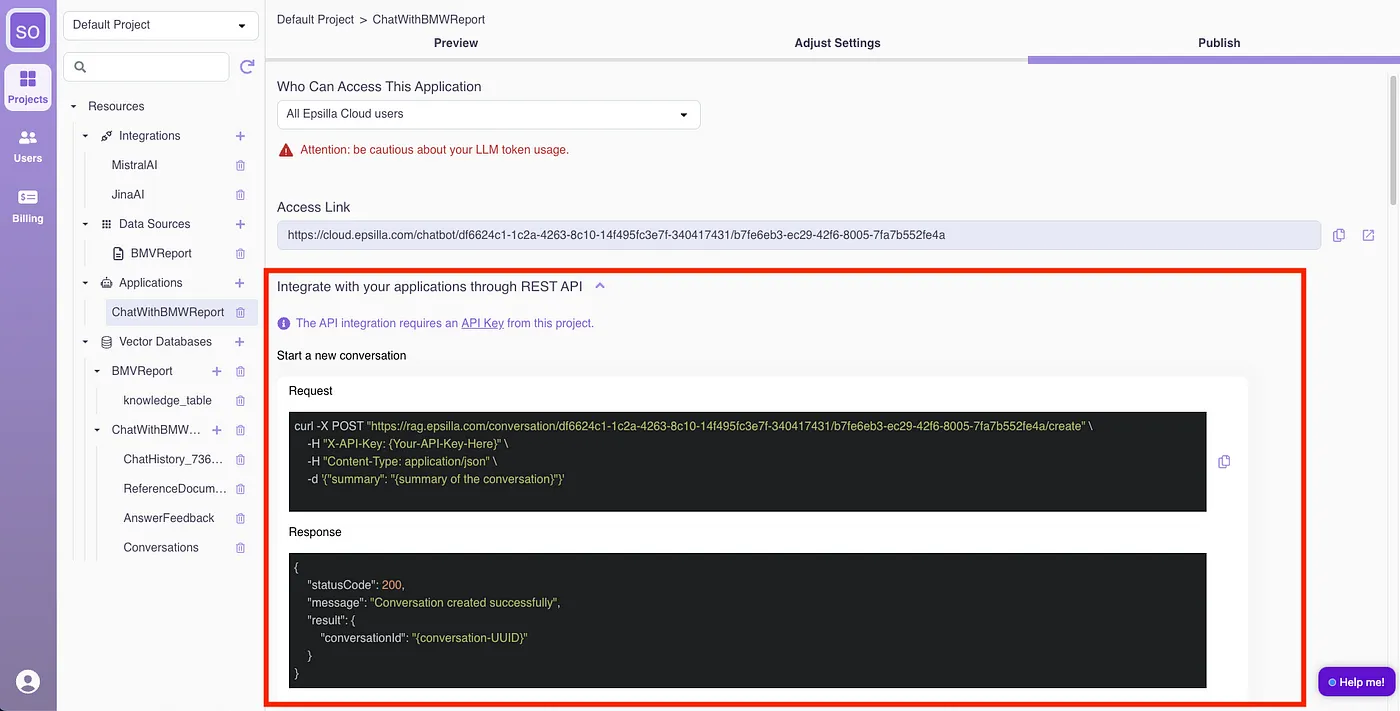
All the above features are also exposed as Web Service APIs with easy and secure integration, allowing advanced developers to add their own UI on top of the platform capabilities to meet their vertical market or special application UI needs.
Next Steps
Creating a functional RAG empowered chatbot is just the beginning. In our upcoming series of tutorials, we will delve deeper into advanced RAG techniques to optimize and enhance your chatbot’s performance. Stay tuned for these in-depth tutorials to unlock the full potential of your RAG empowered chatbot and take your AI interactions to the next level.
By demystifying the complexities of RAG chatbots and leveraging Epsilla’s no-code platform, you can create sophisticated, contextually aware chatbots that significantly enhance user interactions. Sign-up for FREE at https://cloud.epsilla.com and start building your RAG empowered chatbot today.