
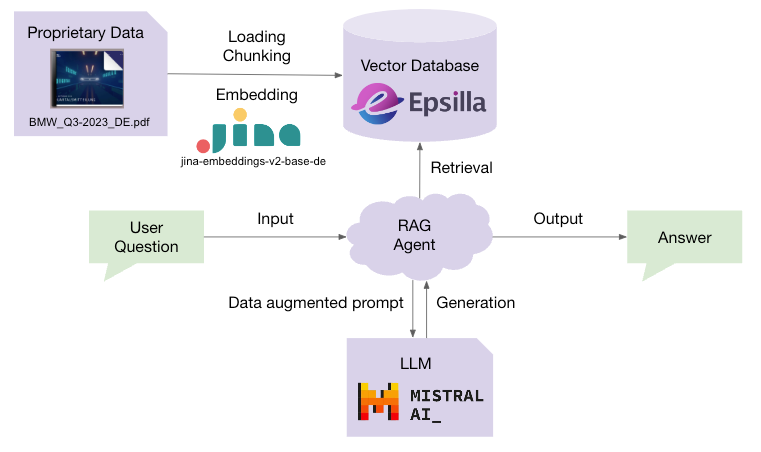
If the year 2023 was all about the rise of large language models (LLMs), then the year 2024 will be about retrieval-augmented generation (RAG) — a technology that augments LLMs with your own data and knowledge. RAG enables LLMs to access proprietary data they have never seen during training and leverages their inference capacity to solve problems based on that data. It also reduces LLM hallucinations by grounding the generation results with references to the data for factual checks.
Challenges and Opportunities for Building Production-Ready RAG
Building a toy RAG system is easy. There are tons of tutorials on the internet that talk about piecing together LangChain, OpenAI, and a vector database to build a prototype RAG system, which can literally be set up and running within an hour.

However, transitioning from a prototype to a production-ready RAG system requires a significant amount of engineering effort. Begin with data loading and chunking, choosing the best chunking strategy to preserve context completeness. This is followed by selecting and tuning the optimal embedding model that fits the data distribution. Then, employ a high-performance vector database to store the data and empower the system’s retrieval capabilities. Use hybrid search methods (dense vector, sparse vector, and keyword search) to increase the recall of the retrieval, and leverage reranking technologies to keep the most relevant context at the top. Utilize prompt engineering techniques to stimulate the deep inference capacity of LLMs for generation. Build an agentic layer on top for solving complicated tasks with task decomposition and self-planning. Last but not least, evaluate the quality of the end-to-end RAG system, and iterate the configuration of all stages to continuously improve.

This process can seem very overwhelming, which is why we at Epsilla are working diligently to simplify it for GenAI builders. Earlier this month, we announced Epsilla Cloud — a one-stop RAG-as-a-Service platform. With Epsilla Cloud, you can easily connect with your proprietary data, select the best embedding model and LLM that fit your business use case, store the data in Epsilla’s high-performance vector search engine, and tune and experiment with all the configurations of each RAG system stage.
Chat with BMW Q3 2023 Report using Epsilla, Jina Embeddings v2, and Mistral LLM
This article will guide you in developing a production-ready RAG chatbot for BMW’s Q3 2023 report using the Epsilla RAG as a Service platform, Jina Embeddings, and Mistral LLM.
The report is in German, so we will choose the industry-leading German-English bilingual embedding model, jina-embeddings-v2-base-de, by Jina AI. Jina Embeddings v2 presents a robust solution for handling and understanding large documents:
Efficient Processing of Extensive Texts: The ability to manage documents with up to 8192 tokens means that larger sections of text can be embedded at once. This approach is both computationally and memory-efficient, as it prefers fewer but larger vectors, facilitating the effective processing of extensive documents.
Enhanced Semantic Comprehension: By embedding larger chunks of text, Jina Embeddings v2 captures more context within each vector, which significantly improves the language models’ ability to grasp the nuances of the documents. This leads to more accurate retrieval and understanding in applications such as long document retrieval, semantic textual similarity, text reranking, and generative search tasks.
Optimized Vector Length: Emitting vectors of length 768 for the base model and 512 for small model (compared with OpenAI’s embedding models range dimensions between 3072 and 1536) provides a balance between maintaining high-quality retrieval and semantic tasks, and reducing the storage costs associated with larger vector sizes.
Another key advantage of this technology stack is that all the core components are open source, which ensures greater transparency and trustworthiness in its operations:
- Epsilla vector search engine (https://github.com/epsilla-cloud/vectordb)
- Jina Embeddings (https://huggingface.co/collections/jinaai/jina-embeddings-v2-65708e3ec4993b8fb968e744)
- Mistral LLM (https://github.com/mistralai/mistral-src?tab=readme-ov-file)
Prerequisites:
Visit Jina AI’s Embeddings page to obtain an API key.
Register at Mistral AI and obtain a Mistral AI API key
Sign up for an account at Epsilla Cloud and log in.
Step 1: Integrate Jina AI and Mistral AI
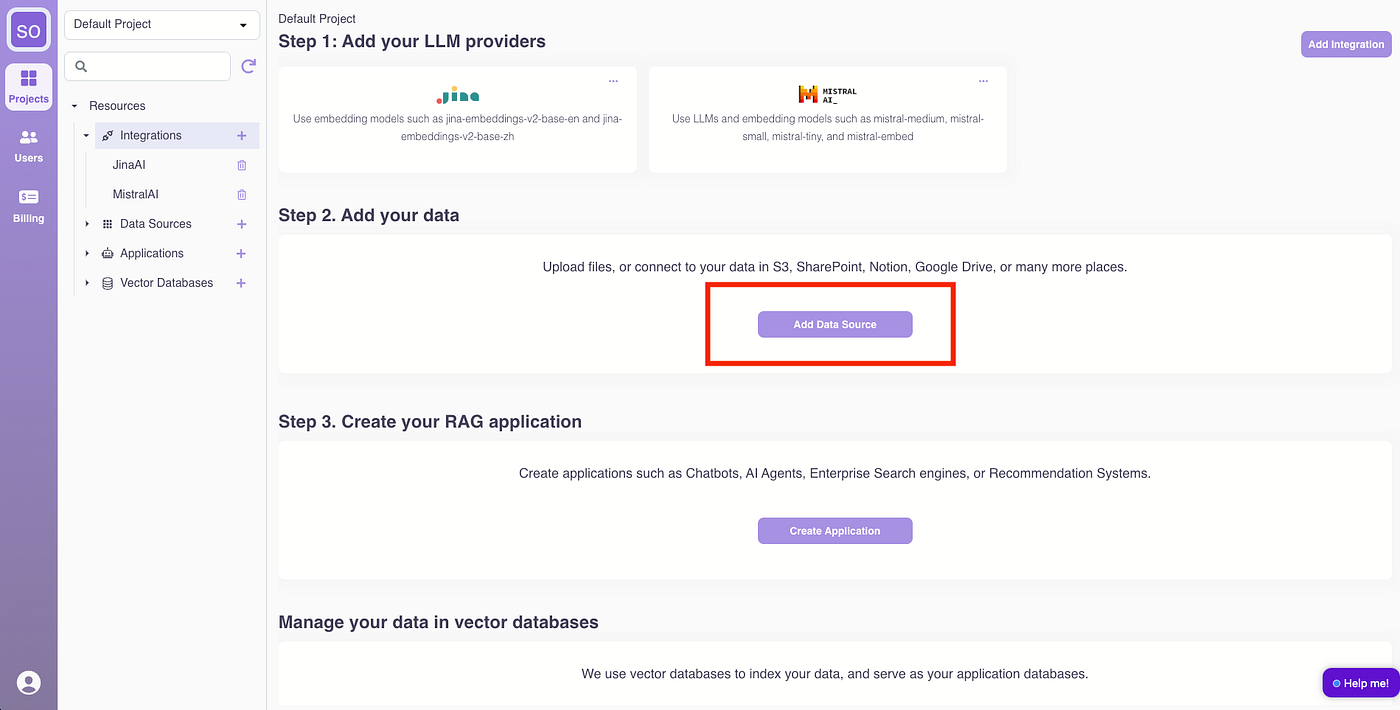
Click “Add Integration.”
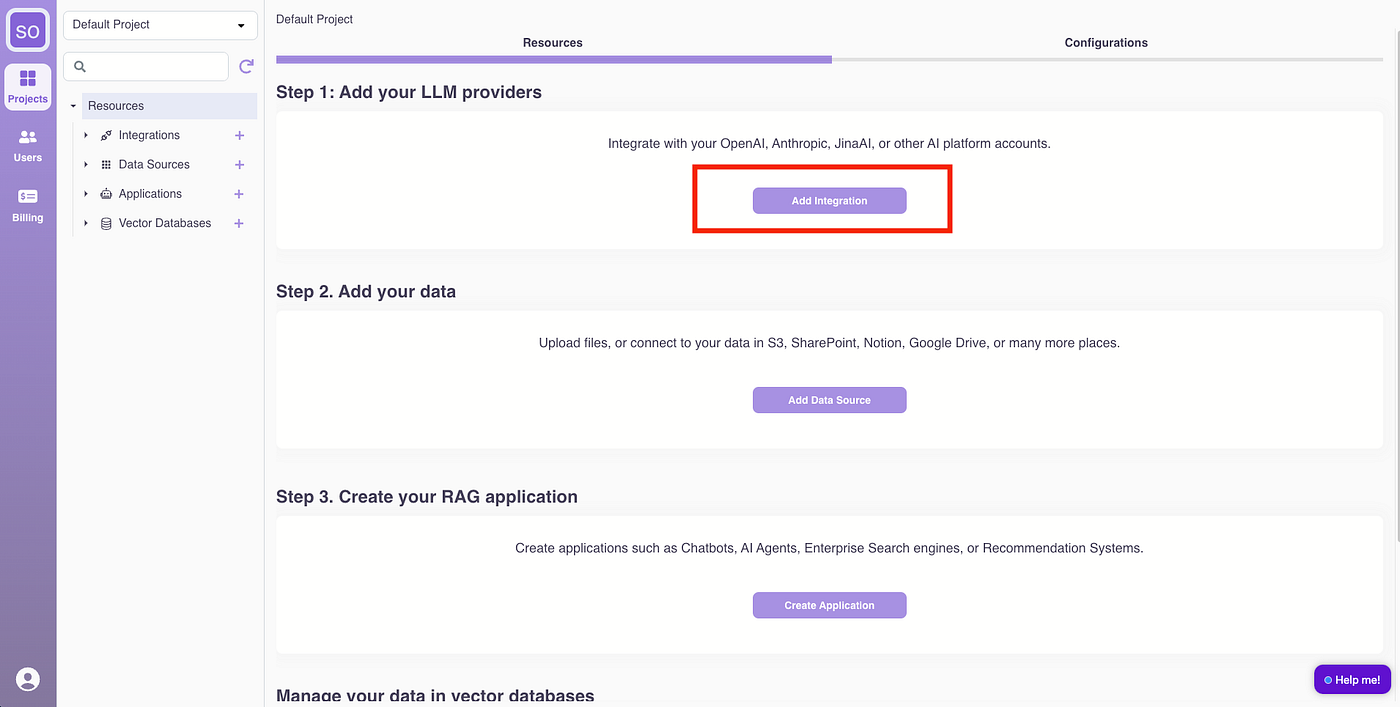
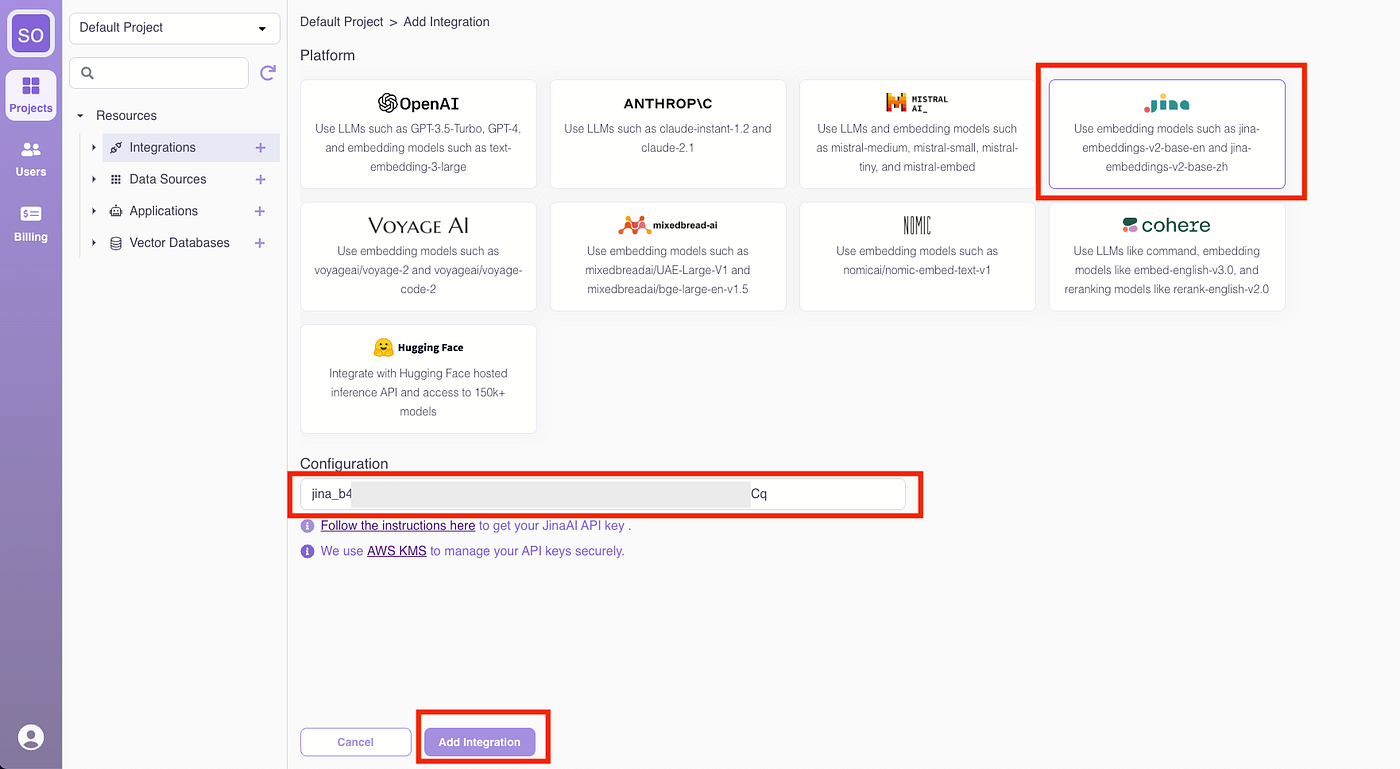
Select Jina AI, enter the Jina AI API key, and click “Add Integration.”
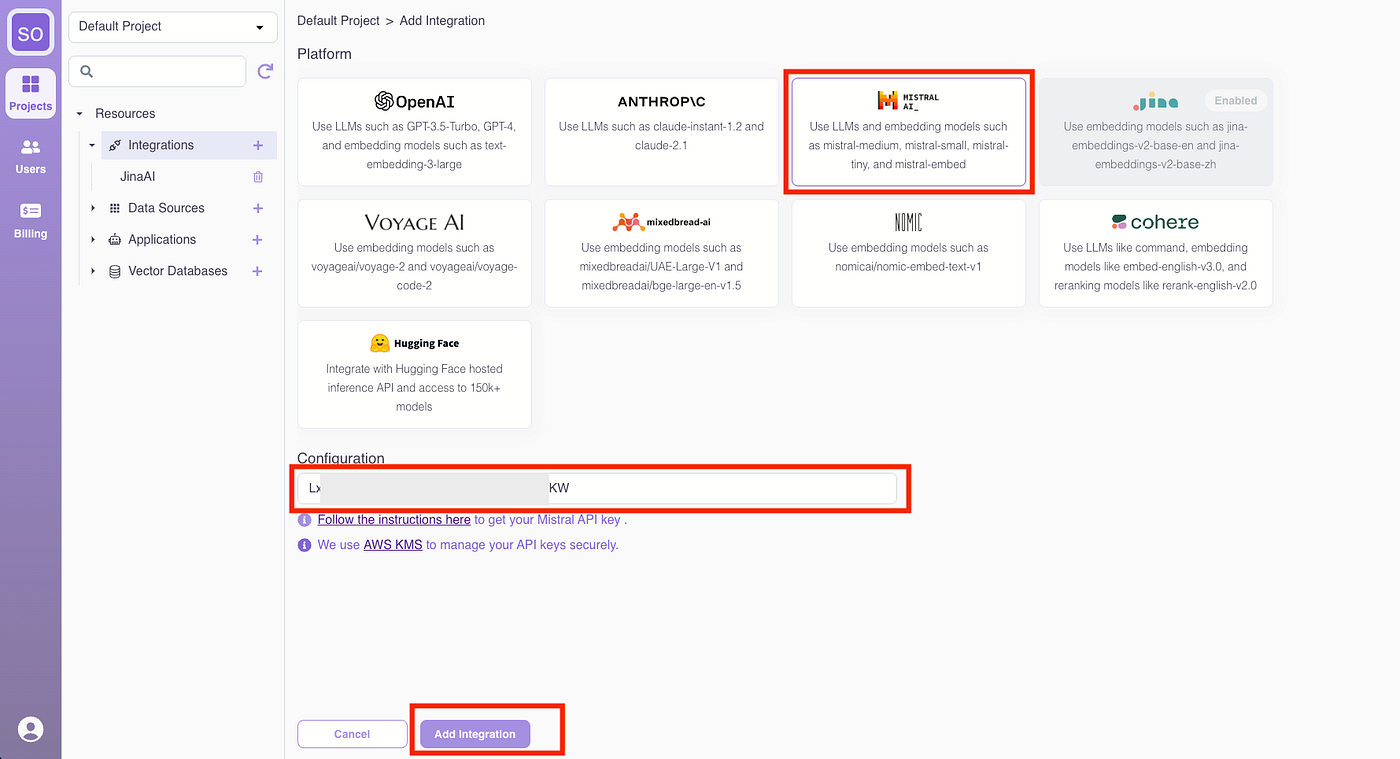
Follow the same process to add the Mistral AI integration.
Step 2: Upload the BMW Q3 2023 Report
Click “Add Data Source.”
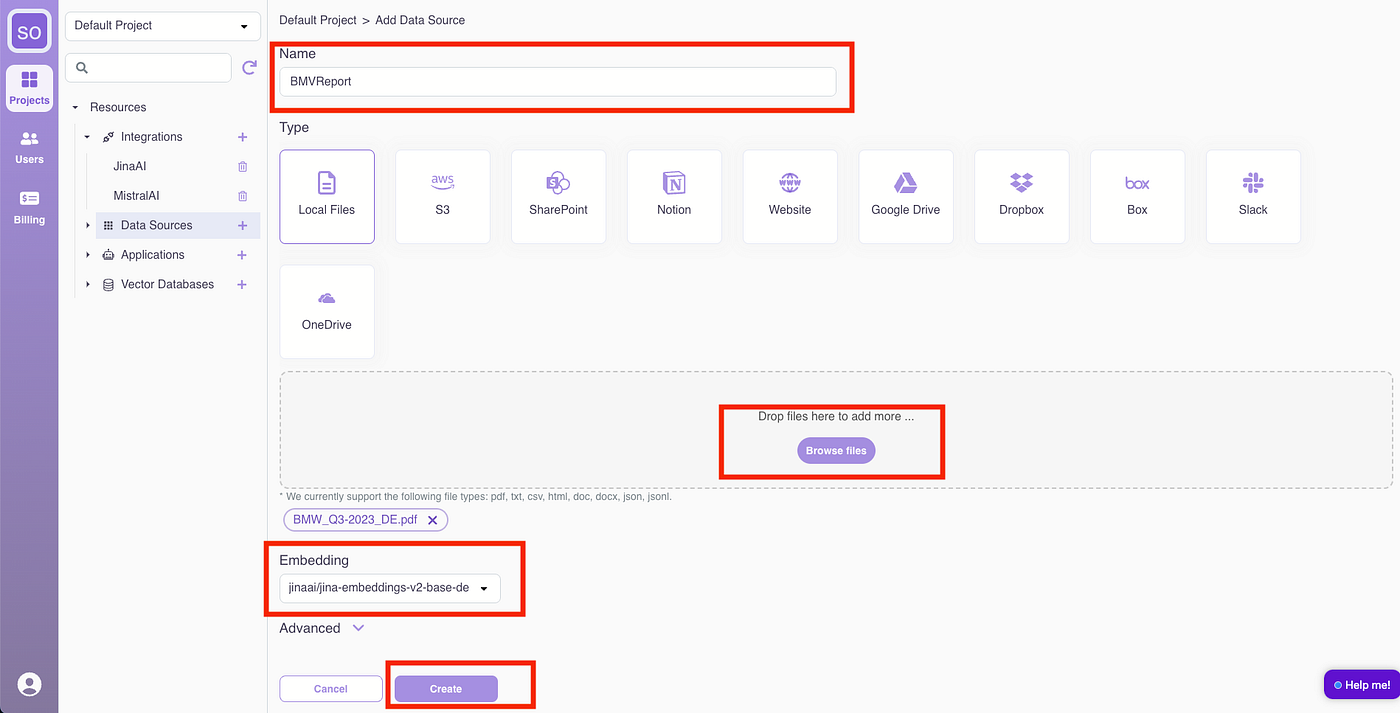
Name the data source “BMWReport,” upload the BMW report PDF, and select “jina-embeddings-v2-base-de” as the embedding model. Click “Create.” (Advanced chunking strategy and parameters can be adjusted for improved retrieval quality but will be skipped for this guide.)
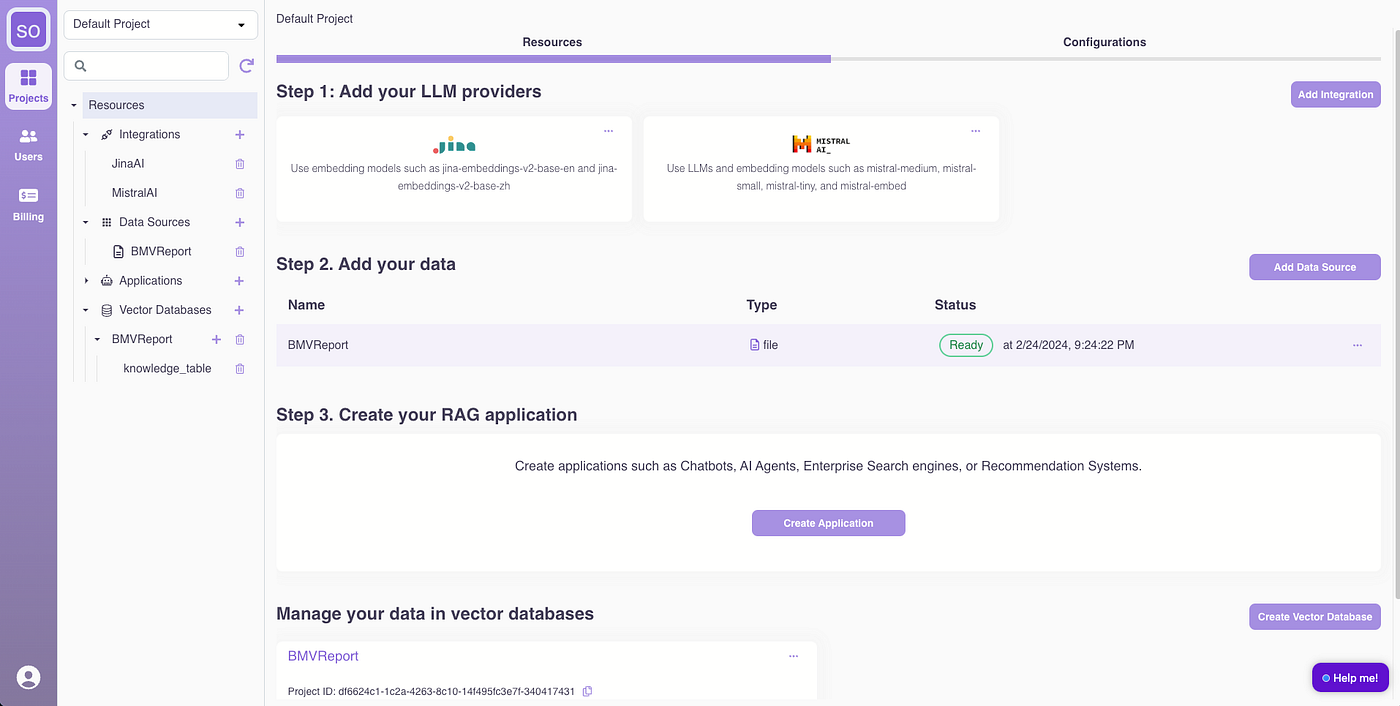
Once processed, the data source status will show as “Ready.”
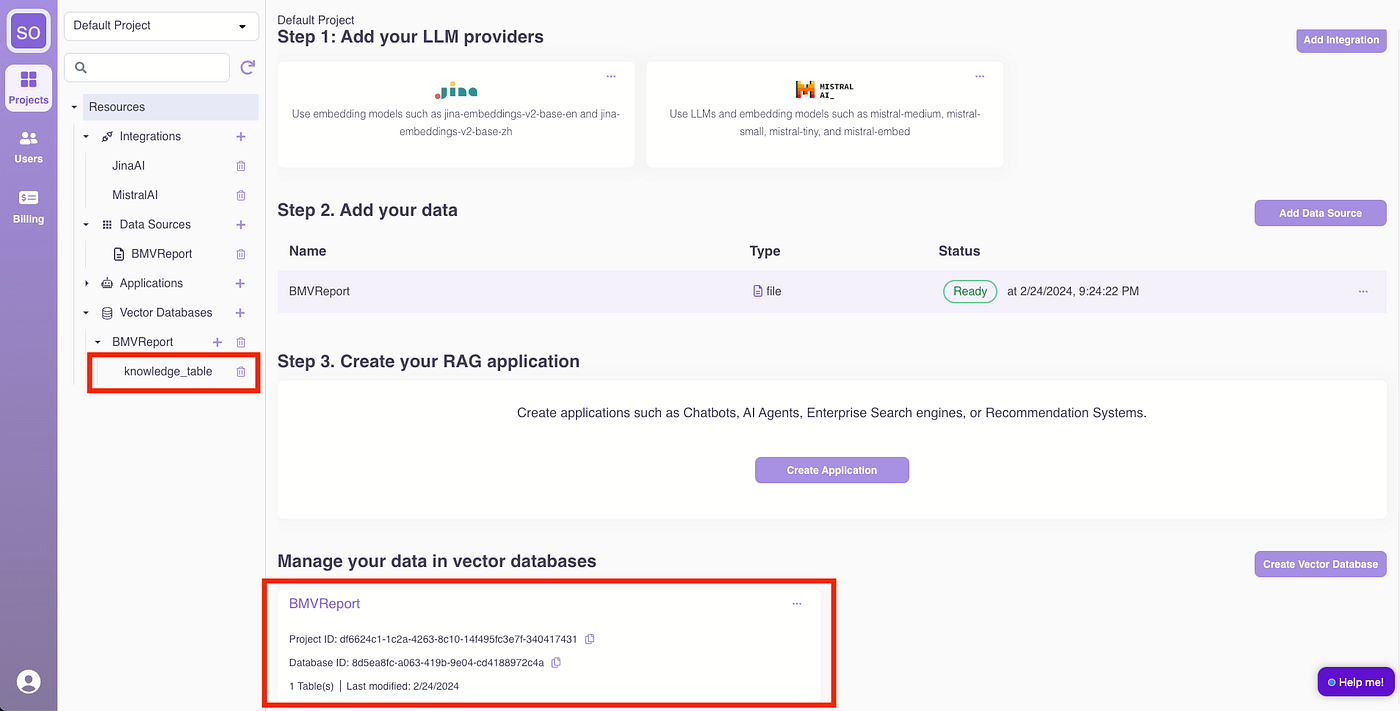
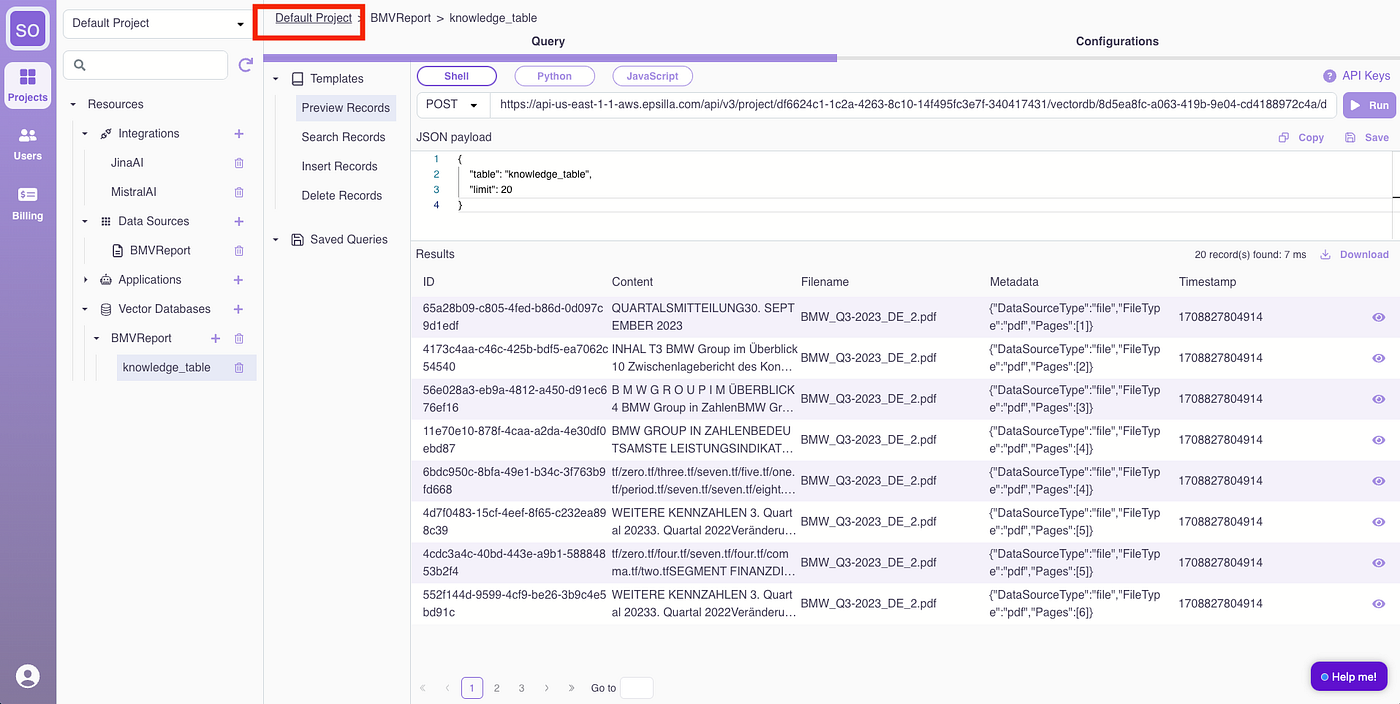
If you are curious how the data was processed. Under the hood, the report is chunked, embedded, and stored in an Epsilla vector database named “BMWReport.” Access the BMWReport/knowledge_table for an overview.
Click “Run” to preview records from the vector database.

Click the “eye” icon to view detailed content of a loaded record, showing the chunked document.

Now let’s go back to continue building.
Step 3: Build the RAG Chatbot
Click “Create Application.”
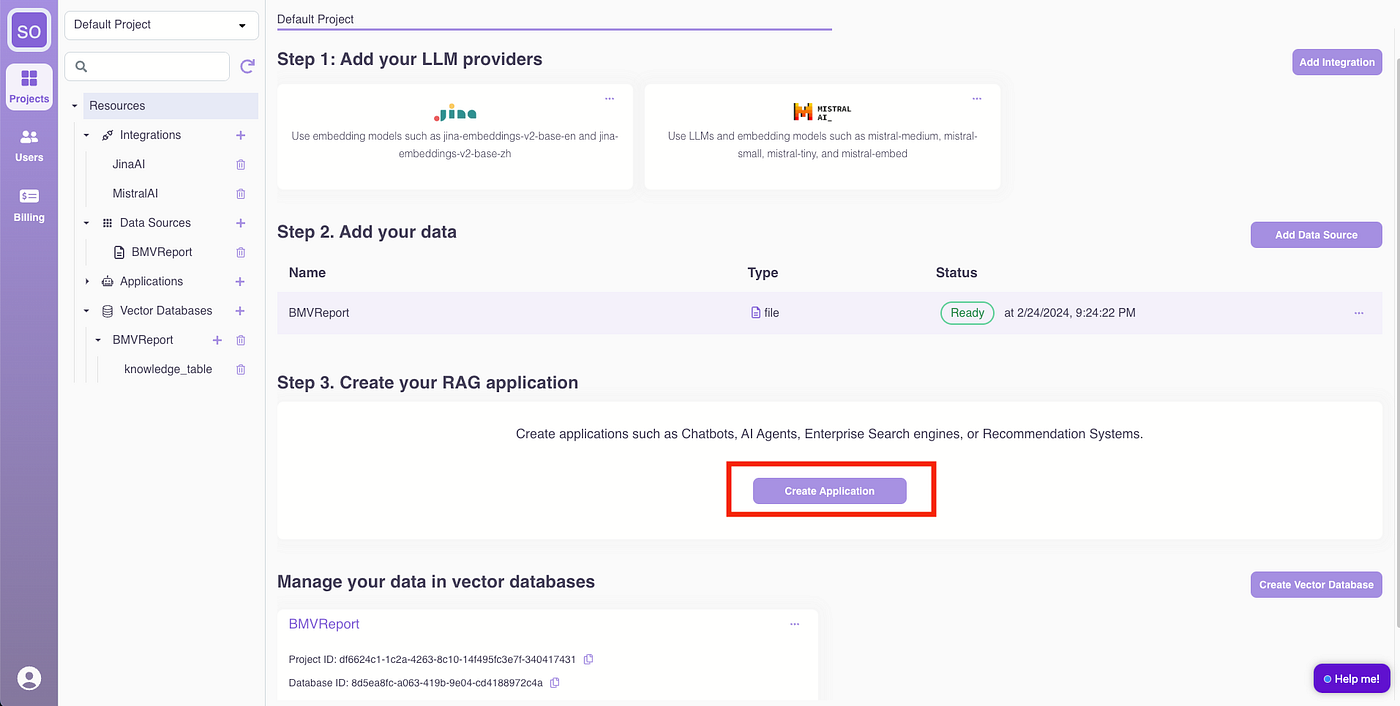
(1) Name the application “ChatWithBMWReport.”
(2) Define the Chatbot Role: “You are a helpful assistant for answering user questions about BMW’s Q3 2023 report. Always assist with care, respect, and truth. Respond with utmost utility yet securely. Avoid harmful, unethical, prejudiced, or negative content. Ensure replies promote fairness and positivity.”
(3) Select the LLM as “mistralai/mistral-medium.”
(4) Set the introduction message to: “Hello, I am your AI assistant for answering questions related to BMW’s Q3 2023 report. How can I help you today?”
(5) Input a sample question: “What are the highlights in Q3 for BMW?”
(You can tweak prompt template, enable advanced RAG steps like query rewriting, HyDE, and other retrieval parameters under Advanced section, we will skip them for now)

The chatbot is ready for use within seconds.
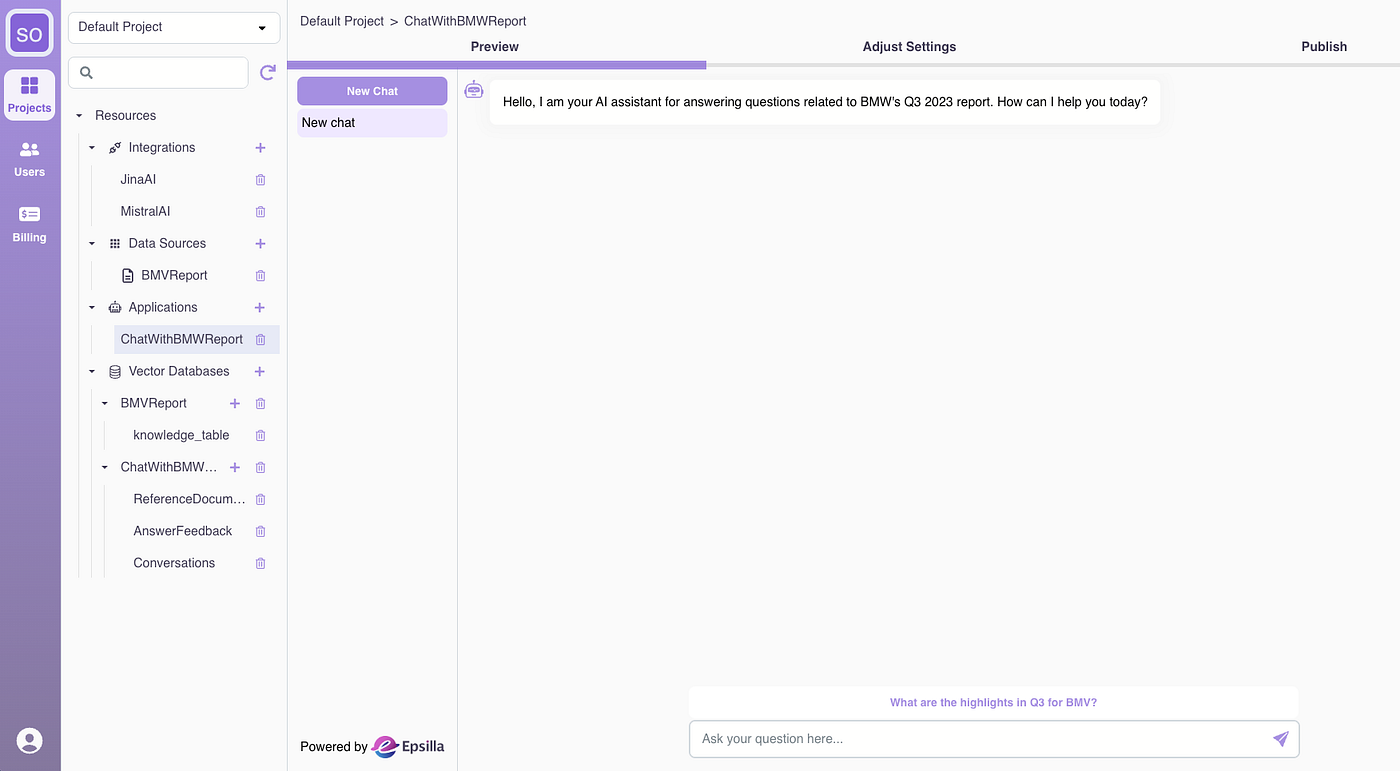
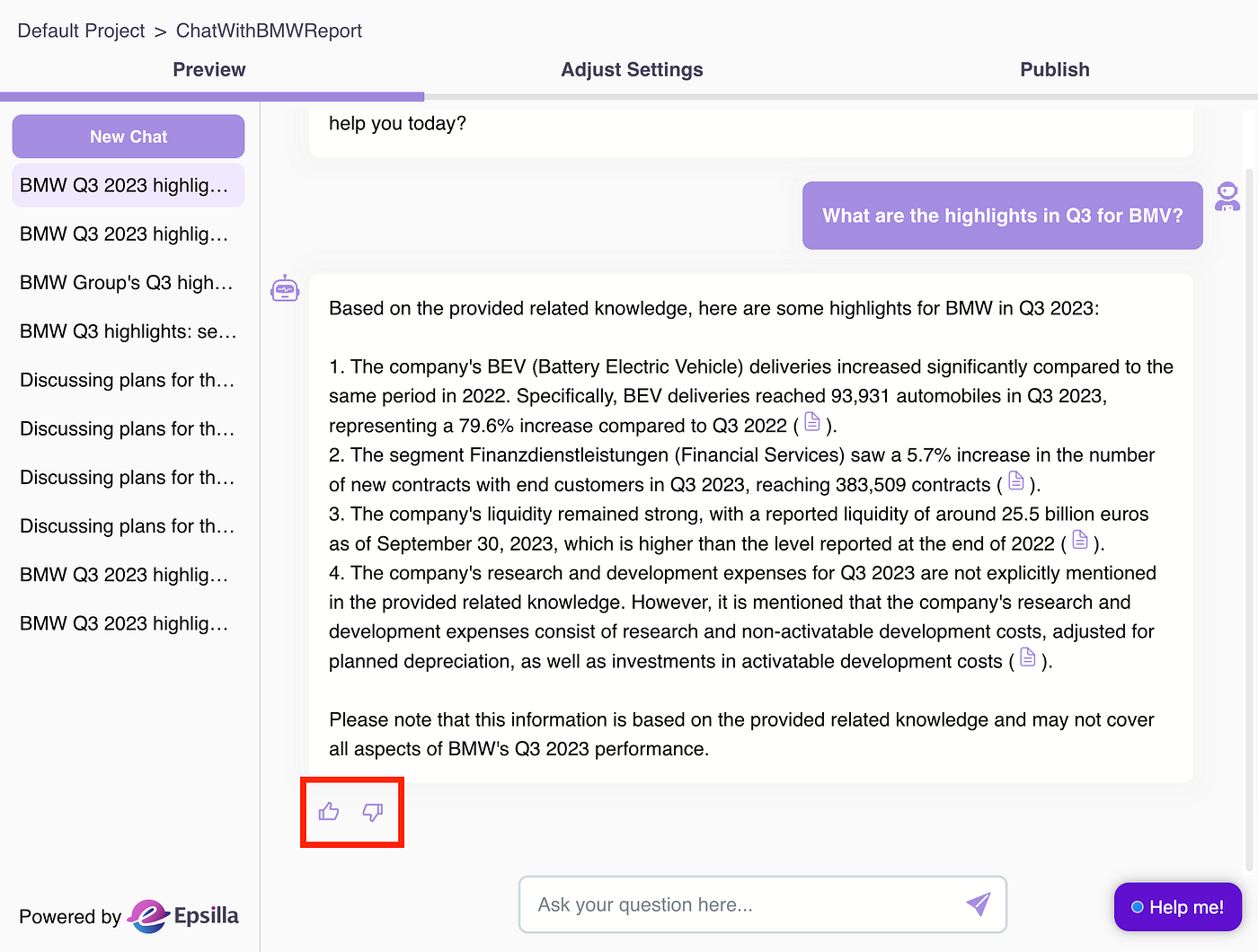
Give it a try with the sample question:

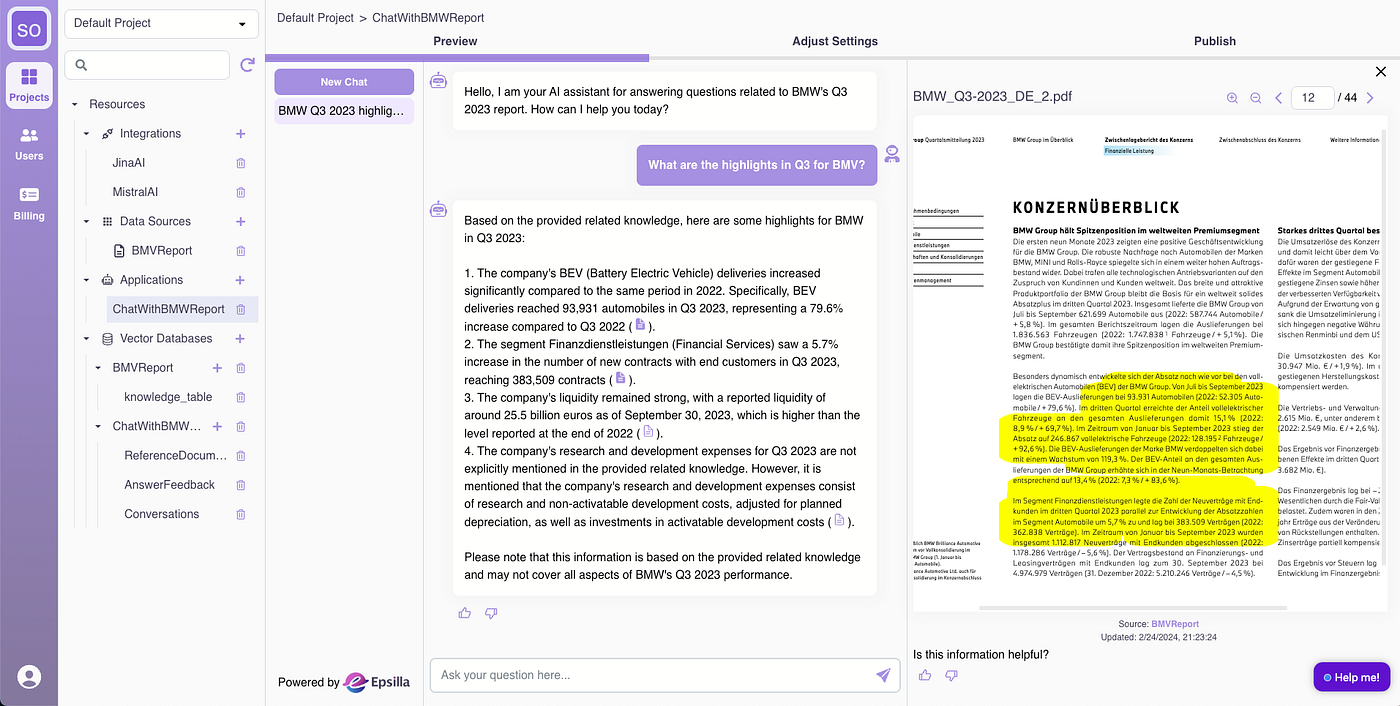
Looks good! Click the reference links, and the related section of the PDF will be highlighted for you to check side by side.
Step 4: Collect Feedback, Iterate, and Launch
Now it’s time to do internal testing and see how the Chatbot performs. Provide feedback to the answers and document references.
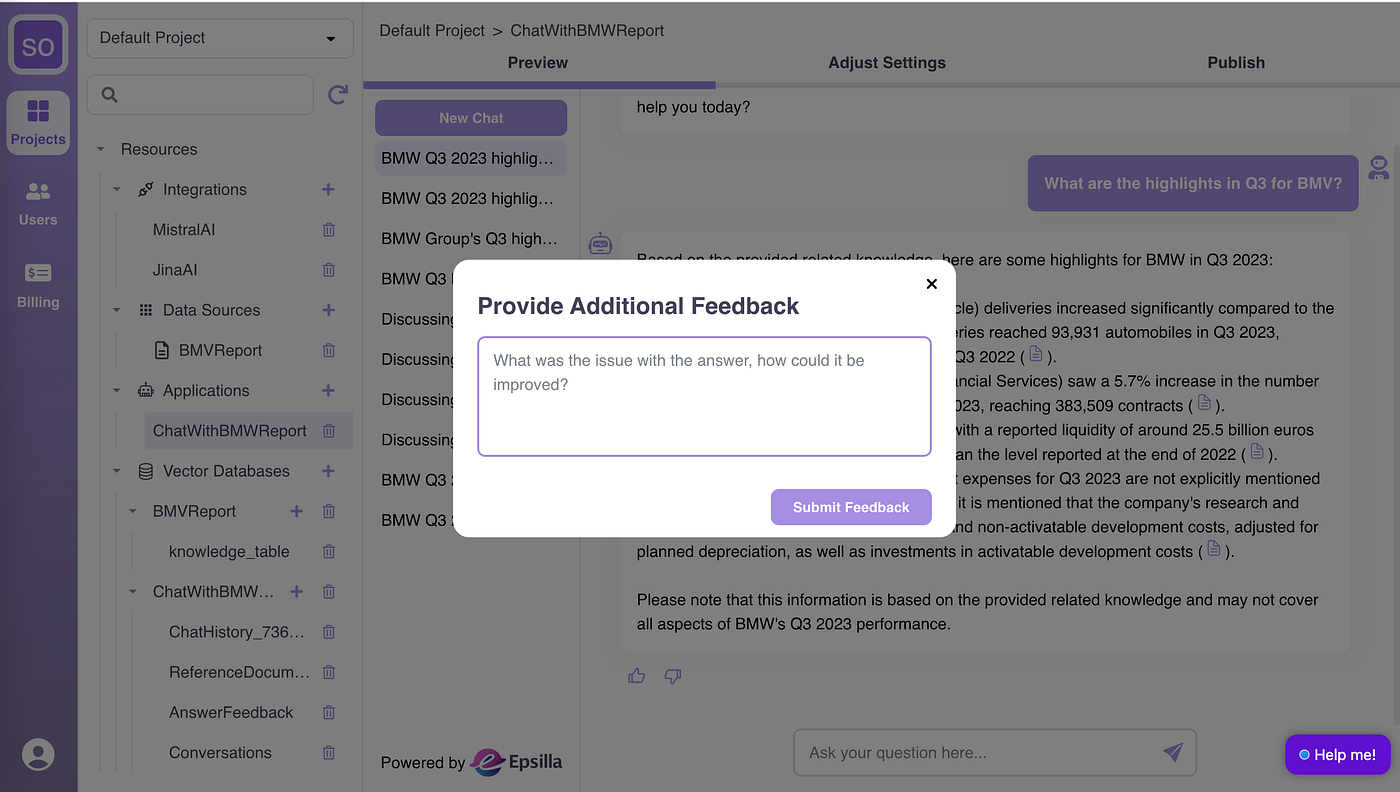
You can add additional context for negative feedback.
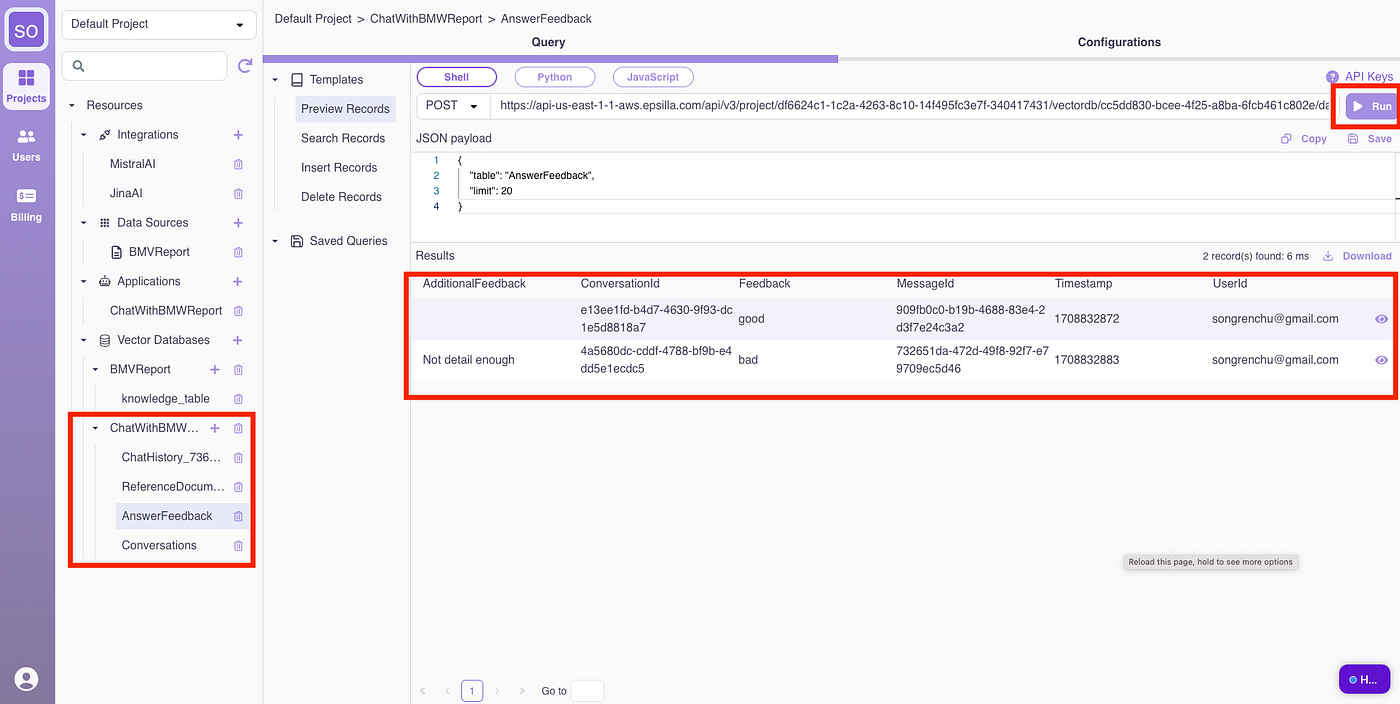
Invite your team for extensive testing and feedback collection. All conversation histories and user feedback are accessible in the ChatWithBMWReport vector database.
Now it’s time to revisit advanced settings for data sources and chatbots to adjust parameters based on feedback. Tweak the loading, chunking, embedding, retrieval, and prompt engineering parameters, and retry the negative scenarios.
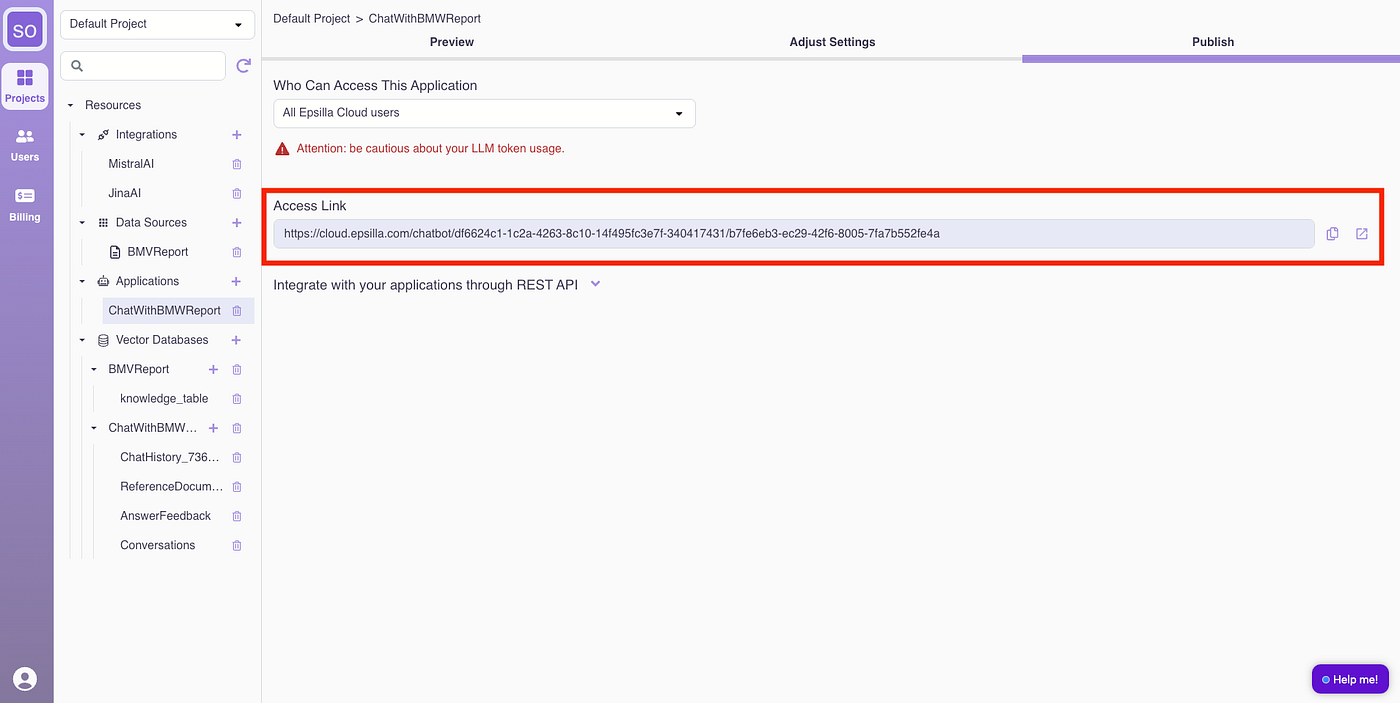
Once satisfied with the quality, open the chatbot to the public:
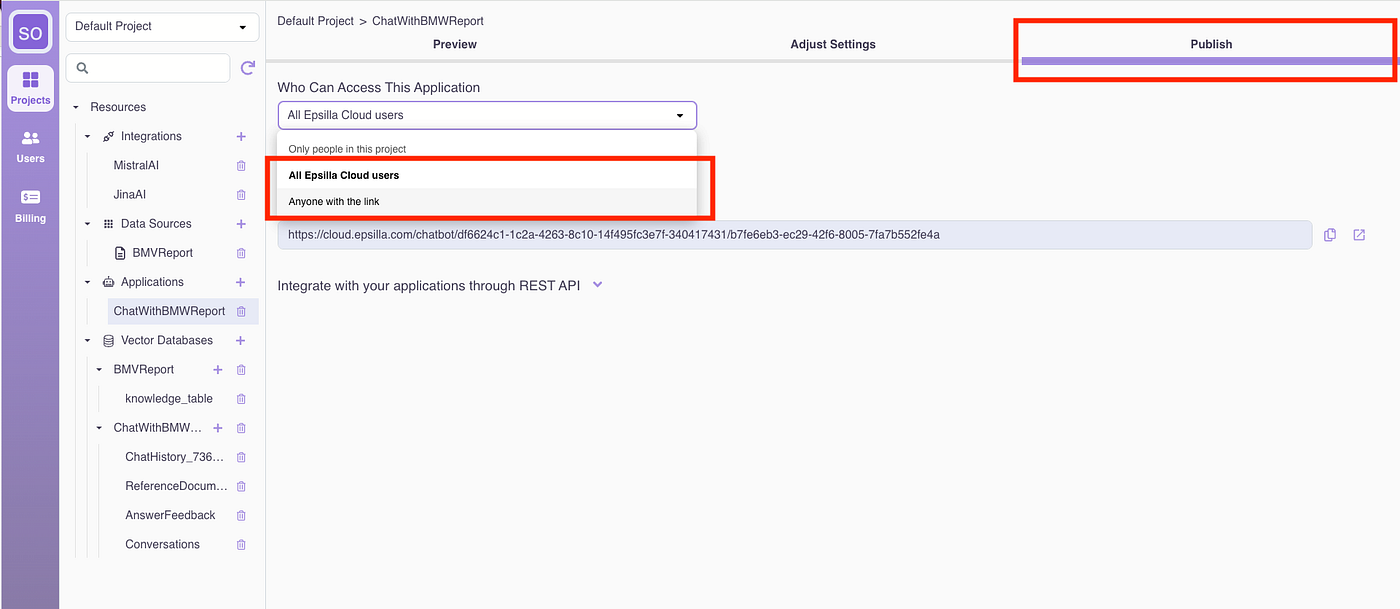
And share the app link with your audience.
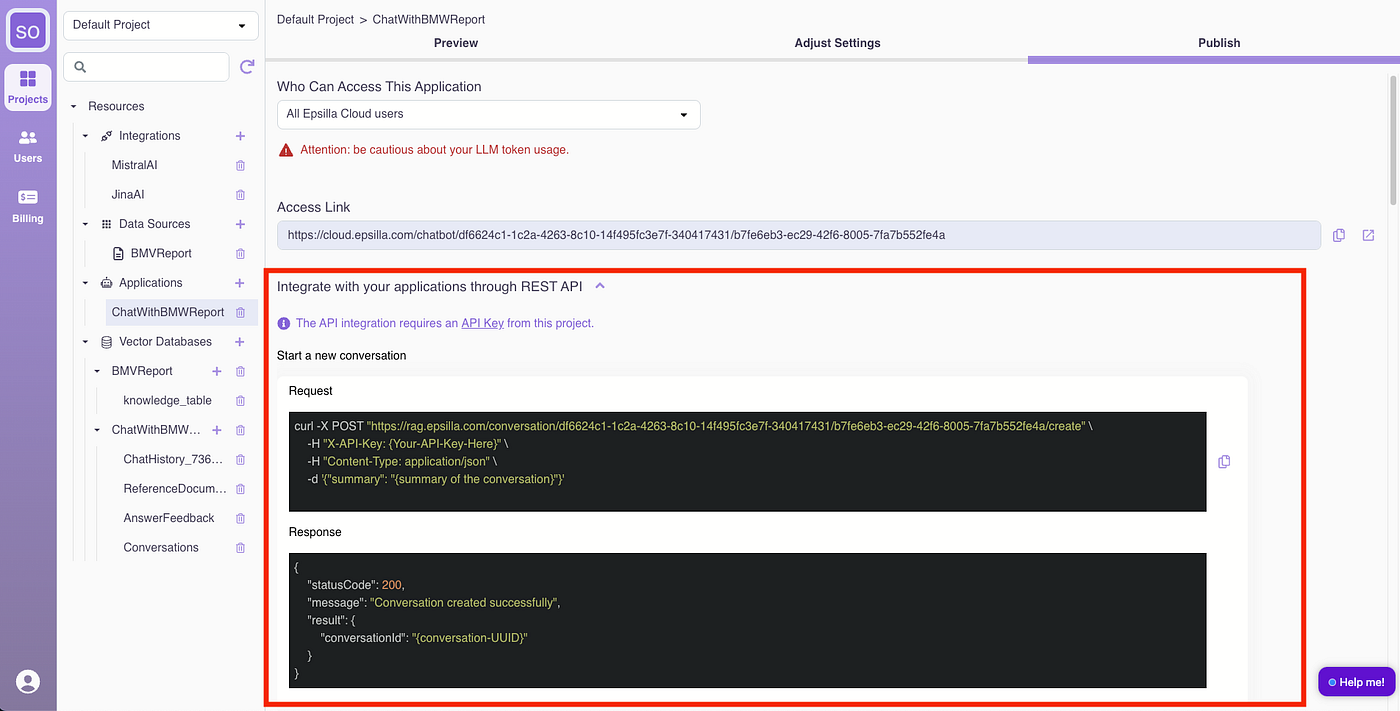
You can also build your own UI and integrate with the chatbot via REST API:
Hooray! Your RAG chatbot is now in production.